


When the conversation is finished, you close it. That is not just filing it away — closing is the one moment where you tell Echo what happened, and what you say here is what every report about your ministry's fruit is counted from.
Closing it
With the conversation open, click the × at the top right.
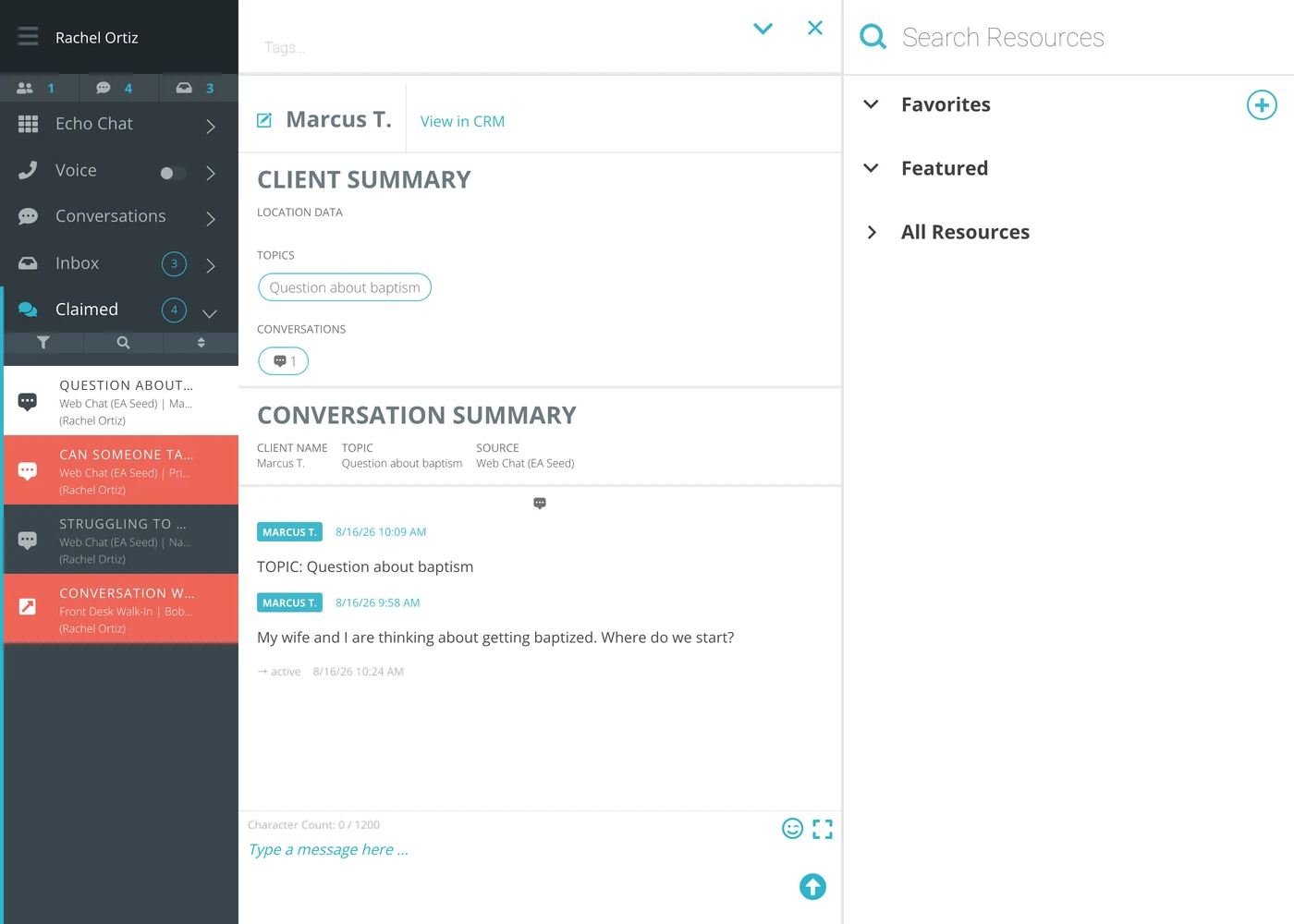
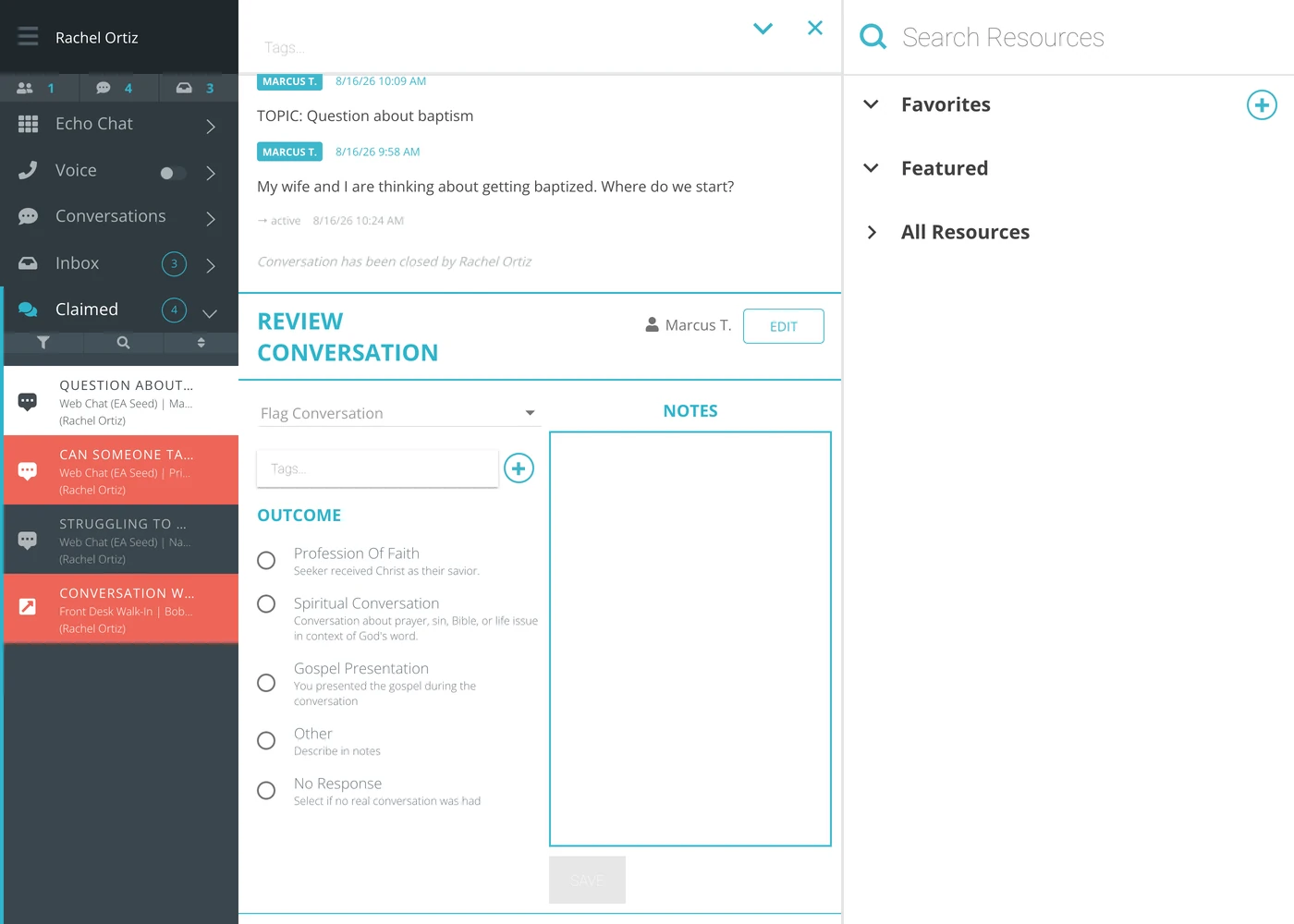
The thread records it — a → closed line with the time, and a sentence naming who closed it — and the Review Conversation panel opens underneath.
The outcome
Pick one. Echo spells out what each one means on the screen itself, and those definitions are the ministry's, not a guess:
Outcome | What Echo says it means |
|---|---|
Profession Of Faith | Seeker received Christ as their savior. |
Spiritual Conversation | Conversation about prayer, sin, Bible, or life issue in context of God's word. |
Gospel Presentation | You presented the gospel during the conversation. |
Other | Describe in notes. |
No Response | Select if no real conversation was had. |
This is the number your leadership reads and takes to a board. Pick the outcome that is true, not the one that looks best — a ministry that inflates Profession of Faith loses the ability to tell whether anything it changed actually worked.
The outcome list is your ministry's own. An admin can change what is on it, so another Echo account may show a different set.
Tags
The Tags field is where you say what the conversation was about — grief, baptism, addiction, a prayer request. Start typing and Echo suggests the tags your ministry already uses; the + beside the field opens your ministry's list of tags to pick from.
An outcome says what happened. A tag says what it was about. Reporting needs both, and only the tag can answer “what are people actually coming to us with?”
Notes
The Notes box on the right is free text, for what the outcome and the tags cannot carry — what you promised, what you would want the next responder to know, why you picked Other.
Write it for the person who picks this seeker up in three months, not for yourself tonight.
Flagging it
Flag Conversation, at the top of the panel, marks this one for somebody else's attention — For Review / Feedback is the usual reason. Use it when a conversation needs a second pair of eyes: you were out of your depth, something was said that worried you, or you want a leader to check how you handled it. Add additional details in the notes for the person doing the review.
Saving
Click Save. The button stays grayed out until you have picked an outcome, which is deliberate — a closed conversation with no outcome is invisible to every report.
What the terms mean
Term | What it means |
|---|---|
Outcome | What happened, chosen from your ministry's own list. One per conversation. |
Tag | What the conversation was about. A conversation can carry several. |
Notes | Free text for what the outcome and tags cannot say. |
Flag | A mark asking somebody to look at this conversation. |
Closed | Finished and recorded. The thread stays readable and the seeker's record keeps it. |
Why this screen matters more than it looks
Every report Echo produces is built from what responders put here. A conversation closed without an outcome is work your ministry did and cannot see. Thirty seconds at the end of a conversation is what turns a night of answering into something a leader can read.