Daily Subs tells you how many people joined a keyword. Phone Numbers tells you which numbers they were and what time each one joined. Use it when you need the actual list: to check that a particular number made it onto a campaign, or to see when in the day a keyword brings people in.
You need to be an admin, or to have been given access to the Reporting module, to open Reports. These pages are in the classic Reports area. The newer Analytics area is a separate set of reports.
This report lists seekers’ phone numbers. Treat the screen, and any file you download from it, as private.
Where to find it
- Click Reports in Echo’s main menu.
- In the left menu, open the Autoresponders group and click Phone Numbers.
- Pick a date range and, if you need to, a time zone at the top of the page. Open Sources to choose which of your sources to include.
- Click Run Report on the card. The report runs in the background, so give it a moment on a long date range.
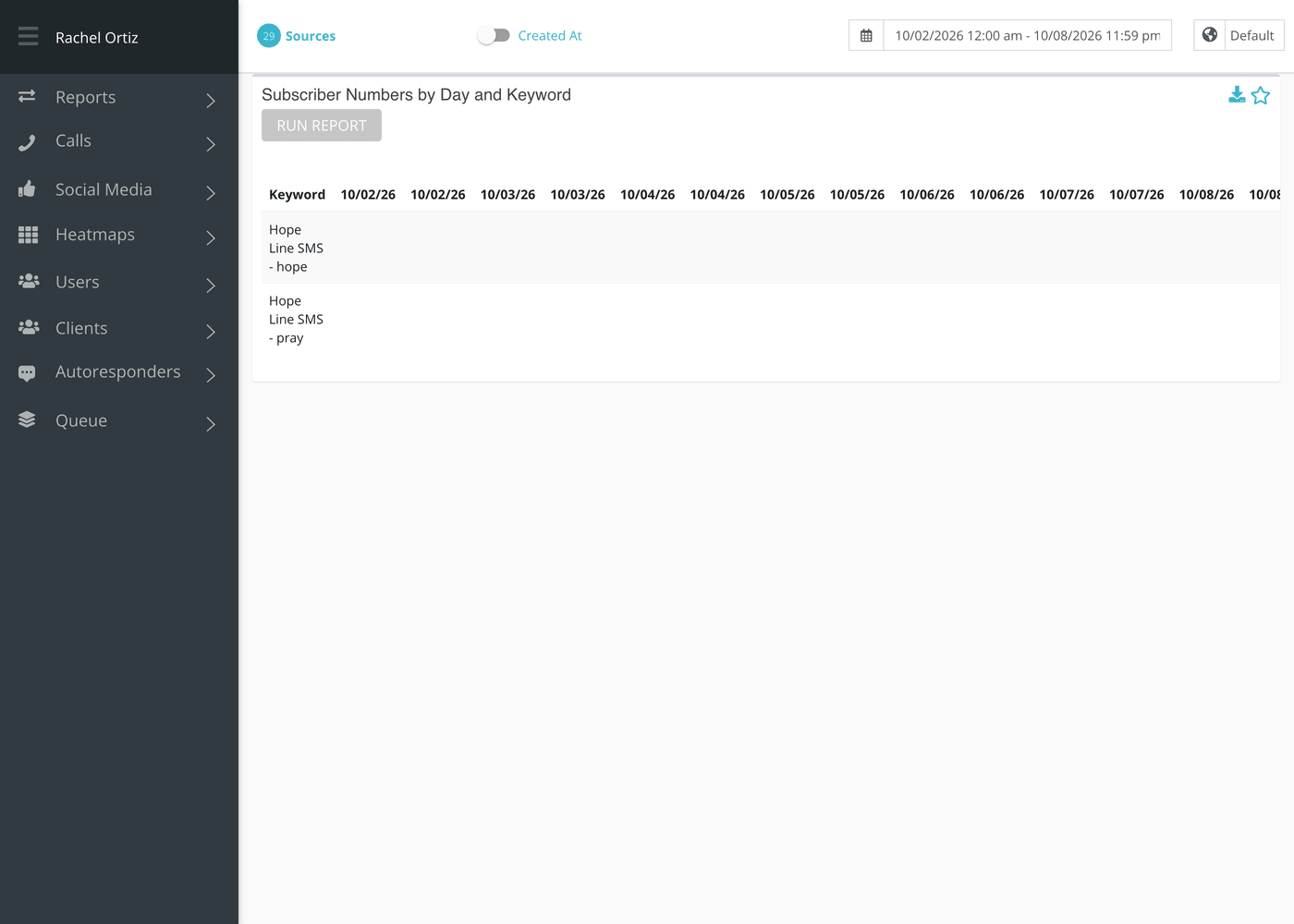
Reading the table
The card is titled Subscriber Numbers by Day and Keyword. There is one row for each keyword, labeled with its source and the keyword. Each day in your range takes two columns, and both carry the same date.
| Column | What it holds |
|---|---|
| Keyword | The source and keyword for the campaign. |
| Date, first column | The phone numbers of people who joined that keyword on that day. |
| Date, second column | The time each of them joined, in the same order as the numbers beside it. The first time belongs to the first number. |
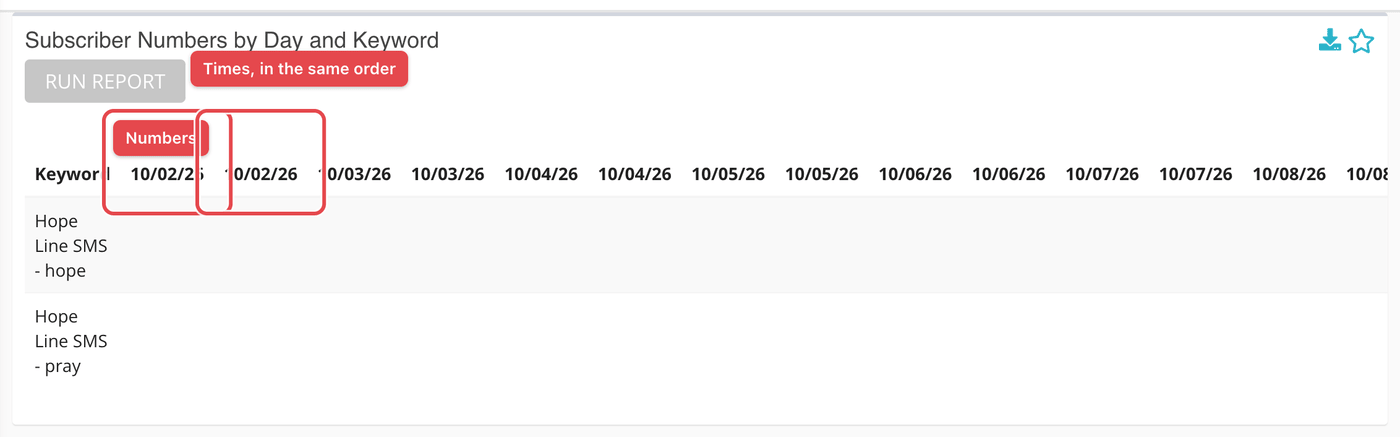
Times are shown in the time zone you picked at the top of the page. A day with nobody joining is simply empty.
A campaign is included when it started on or before the end of your date range, has not ended before the end of the range, and was not archived before the end of the range. That is why a campaign you archived last week still shows in a report for the month before.
Downloading the list
Click the download icon in the card’s header. The file follows your download preference in Echo.
What the measurements mean
| Term | What it means |
|---|---|
| Number | The phone number the seeker texted from when they joined. |
| Subscribed (active) | Only people who are still subscribed, and have not opted out of texts from your ministry, are listed. Someone who joined and has since left does not appear, even on the day they joined. |
| Keyword | The word a seeker texts to join a campaign. |
If something looks wrong
- A number you expected is missing. They may have unsubscribed since. Look them up in Subscriptions, which shows people who have left too.