
Tenant Settings
From Echo, go to Admin-Settings-Tenant Settings
https://YOURTENANT.echoglobal.org/admin/settings/tenant_settings
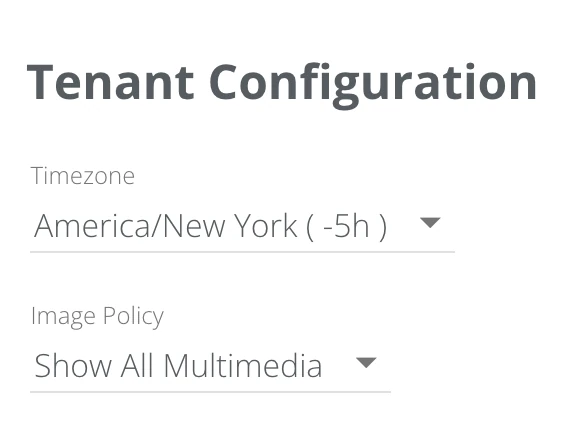
Tenant Time Zone:
The default time zone setting is America/New York (Eastern) Time Zone. This time zone can be changed from the drop down but it will change the time zone for the entire tenant, for all users.
Image Policy:
Decides how pictures, video, audio and files appear in conversations, for every user in your ministry. The default is Show All Multimedia.
Show All Multimedia shows each one in the conversation. Any user can click HIDE under one to cover it for everyone, and it then reads “Image has been hidden by an Echo user. Click to view.”
Hide All Multimedia covers every one with “Images are hidden by default. Click to view.” A user can click it to see what was sent.
Block All Multimedia shows none of them. Each is replaced with “(Images are disabled. For more information, please contact admin.)” and cannot be opened.
Whichever you choose, Echo checks pictures as they arrive, using PicPurify, an image moderation service. A picture PicPurify flags as explicit shows as “Image Blocked due to suspected explicit content. Click to view.” until someone clicks it. This check is not a setting and cannot be turned off.
2FA Enforcement:
The default is “Don't enforce 2FA for all users”. Choosing “Enforce 2FA for all users” turns on 2-Factor Authentication for every user in your ministry. Changing it back turns 2-Factor Authentication off for every user, including anyone who had turned it on for themselves. See the 2-Factor Authentication article for how it works.
Group Chat Character Limit:
Sets the longest message that can be sent in group chat. It shows “No Limit” until you enter a number and click Save.
Message Character Warning:
Shows responders a character count against the number you enter here while they write a reply, and marks the count when a reply goes over. It is a warning only; a longer reply can still be sent. Enter a number and click Save.
Default Outcomes:
Autoresponder Outcome is the outcome recorded on a conversation that is closed without a responder choosing one, such as a conversation handed to an autoresponder. Spam Outcome is the outcome recorded when a conversation is marked as spam. If the outcome you choose is hidden, an Include in Reports box appears under it, which decides whether that outcome is included in reports.
Contact Info:
Provide your organization's support email address. We include this email address in the footer of Echo generated emails sent to your users. This directs your user’s support requests to the right place and helps us provide you with the best customer support possible.

Public Support Info:
Provide your organization's display name and support email address for the public to see. Currently, these are provided in HELP texts for short codes.
This can be the same as your organization’s support email address, but it doesn’t have to be if you’d rather direct people asking for help through SMS to a different place.
