The Tags report shows which tags your responders put on conversations, and from which sources. It tells you what seekers are talking about and where those conversations come from.
Running the report
- Open Reports from the main menu. In the left-hand menu, under Reports, click Tags.
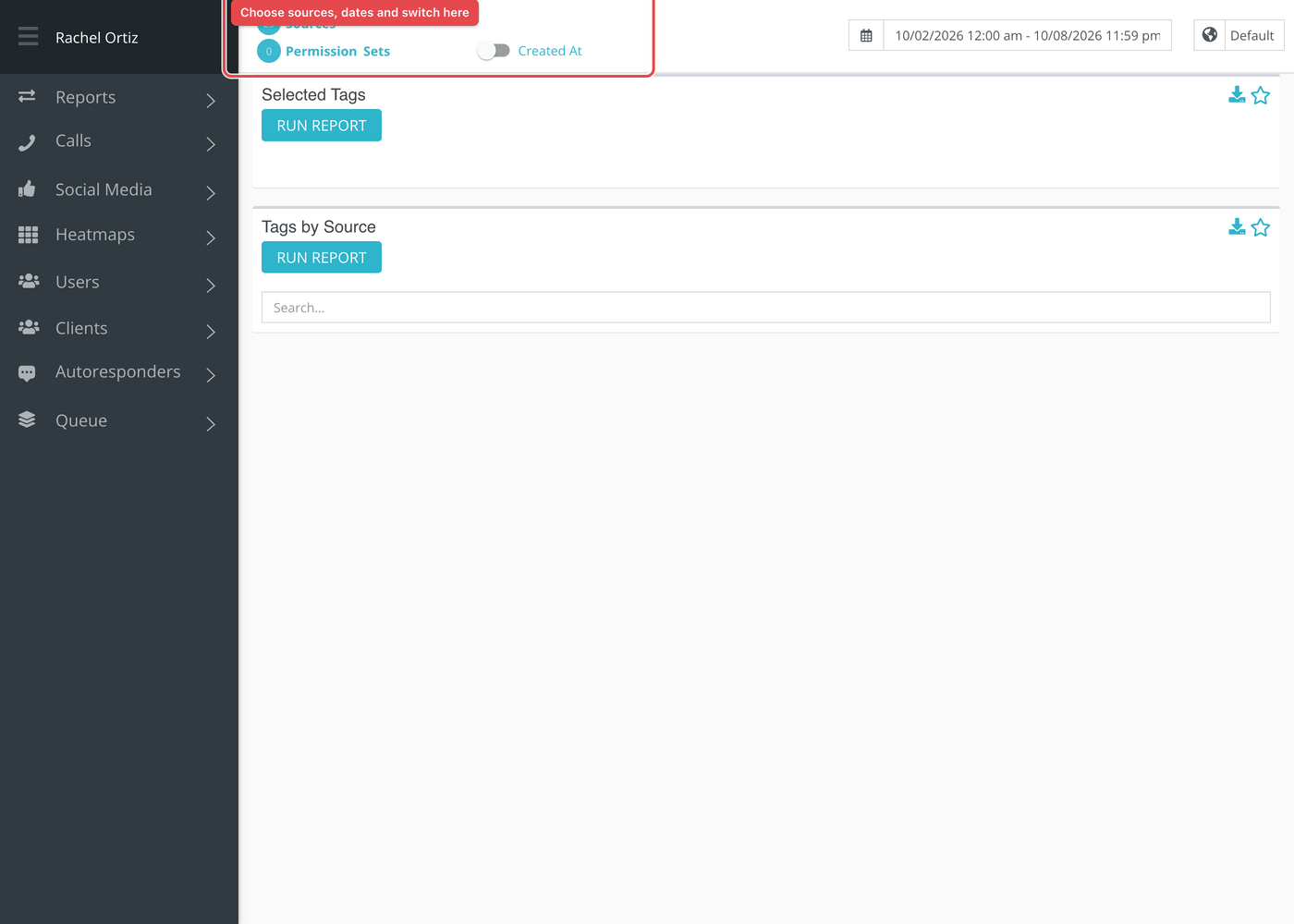
- Click the date range at the top of the page and choose your dates. The globe menu beside it sets the time zone, which starts on your ministry's own.
- Click Sources and choose the conversation sources to include. The number beside it shows how many are chosen.
- Optional: click Permission Sets to count only conversations that someone in those sets claimed. Leave it empty to include everyone. This applies to Selected Tags, not to Tags by Source.
- Use the switch to choose Created At or Closed At. Created At places a conversation on the day it started. Closed At places it on the day it closed, so conversations that are still open are not counted.
- Click Run Report on each card you want to see. A card does not load until you do, and the button stays gray until you change a filter.
Larger date ranges can take a little while. Reports that are still being built are listed under Queue at the bottom of the left-hand menu, which reads "All Reports Finished Loading" when none are waiting.
Selected Tags
A pie chart and a list. Each entry is a root tag, with its total and its share of all the tag choices in the period, for example Prayer / 24.5%. Entries are sorted from the largest to the smallest.
Click the pie or an entry to open a breakdown. The window shows the root tag and each of its synonyms with a count and a percentage. Use the arrows at the top to move to the next root tag.
Tags by Source
A table with one row for each source and one column for each tag used. A cell shows how many conversations from that source carry that tag, or a dash if none do. Click a column heading to sort. Use the search box to find a source.
Tags by Source ignores the Permission Sets choice. It counts every responder's conversations from the sources you picked.
What the measurements mean
| Term | What it means |
|---|---|
| Tag | A label a responder puts on a conversation to say what it was about. |
| Root tag | The main tag in a family. Echo adds a root's count to its synonyms' counts so that different wordings of one subject are read together. |
| Synonym | A tag that belongs under a root, for example a spelling or a related word. |
| Percentage | The share of all tag choices in the period, not the share of conversations. A conversation with three tags is counted three times. |
Things to know
- Only conversations that have at least one tag appear. If few of your responders tag, the report describes the tagged few.
- The Created At and Closed At switch decides which date puts a conversation in the period.
- Some tags may be restricted to certain responders. See Restricted tags.
Most cards also carry two small icons beside the title. The star pins the card to your Dashboard. The download icon saves the card as a CSV file, or as XLSX if your download preference is set to XLSX.