The other call reports look back. This one looks at now. It keeps itself up to date, so you can leave it open on a screen and see whether your phones are covered, who is on a call and who is waiting.
Where to find it
Click Reports, open the Calls group in the left sidebar and click Live Dashboard.
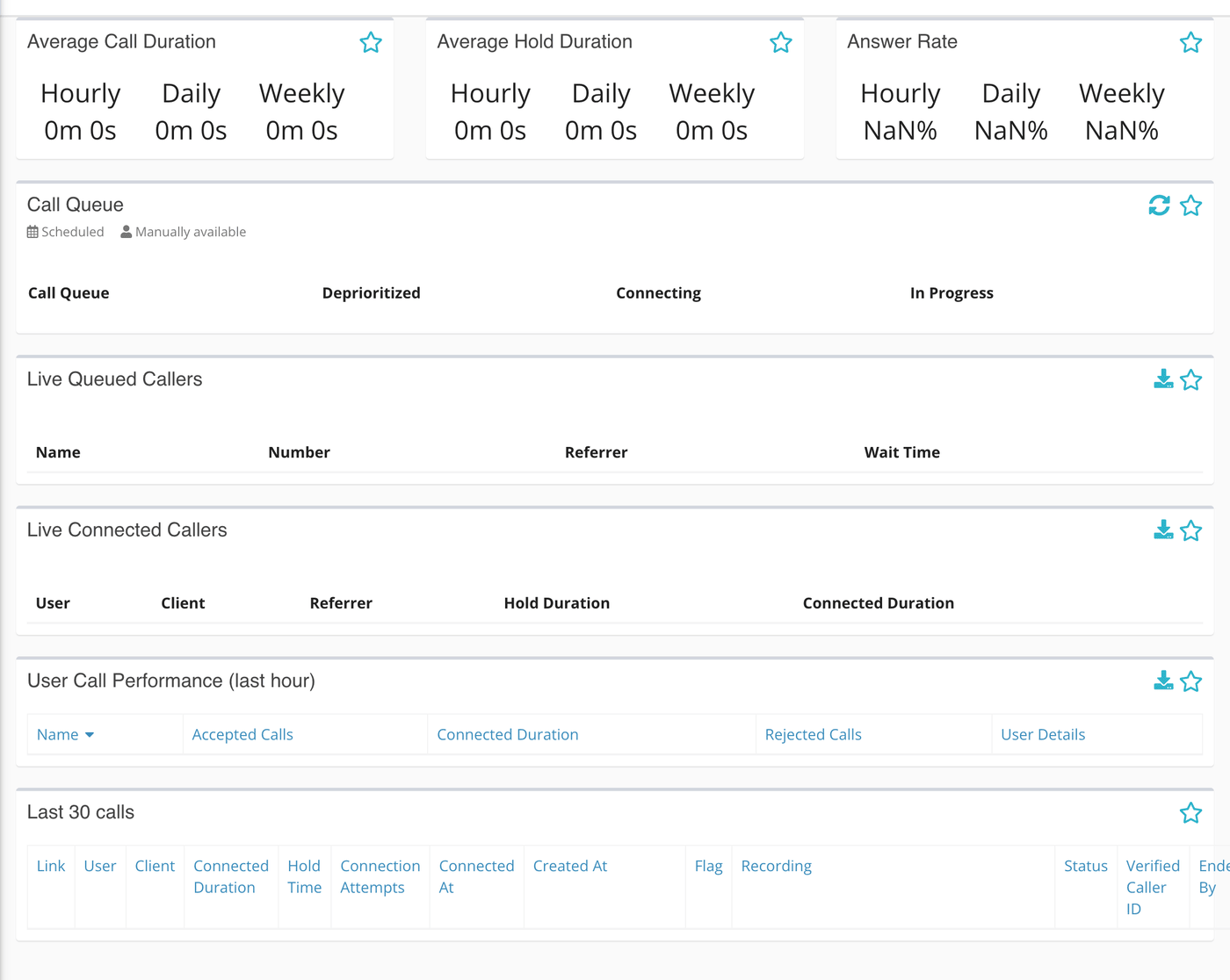
There is no Run Report button. The cards refresh on their own: the call queue and the two live caller lists update as calls change, and the cards poll every 30 to 60 seconds as a backstop.
What is on the page
| Card | What it shows |
|---|---|
| Average Call Duration, Average Hold Duration, Answer Rate | The same three rolling figures as on the Calls Overview Report: the last hour, the last day and the last week. |
| Call Queue | The responders ready for calls, in four lists: Call Queue, Deprioritized, Connecting and In Progress. |
| Live Queued Callers | Callers waiting right now: the name or topic, the number, the phone number they called and a running wait timer. |
| Live Connected Callers | Calls in progress: the responder, the caller, the number called, how long the caller held and a running timer for the call. |
| User Call Performance (last hour) | For each responder offered a call in the last hour: calls accepted, connected time and calls rejected. |
| Last 30 calls | The 30 most recent calls with their user, caller, hold time, status and recording. |
Reading the Call Queue card
Each name in the queue has a small icon beside it that says why they are there.
- The calendar icon means the responder is scheduled for this hour. Click it to open the scheduler at that day and hour.
- The person icon means the responder made themselves manually available.
The Deprioritized list holds responders who are available but have been moved to the back, with a countdown beside the name. The Connecting list holds responders Echo is ringing now, and In Progress holds responders on a call.
What you can change from here
These controls are meant for administrators. The scheduler and person icons appear disabled for anyone else.
- To take a manually available responder out of the queue, click the person icon beside their name and confirm. If they are also scheduled this hour, only the manual setting is cleared and they stay in the queue on their schedule. A call already in progress is not interrupted.
- To put a deprioritized responder back in line, click the thumbs-up icon beside their name.
- To pull scheduled responders into the queue now, click the refresh icon in the card header. It can be used once every five minutes.
What the measurements mean
| Term | What it means |
|---|---|
| Call queue (responders) | The responders Echo will ring when the next call arrives. This is a list of people, not of callers. |
| Queued caller | A caller waiting for a responder to be connected. |
| Scheduled | The responder has this hour marked as callable in the scheduler. See The Echo Scheduler. |
| Manually available | The responder switched themselves on for calls, whatever the schedule says. |
| Deprioritized | An available responder placed behind the others, for a limited time shown on a countdown. |
Who can open it
- Administrators, and users who have been given access to the Reporting module, see it under Reports.