About:
Are your users missing important messages in group chat because some messages are too long? You can now determine how many characters you want your group chat user messages to be.
The system default is unlimited. If you want to restrict the character limit, an administrator will need to apply this change in the Admin Module.
Adding a Group Chat Character Limit:
As an Echo Administrator, click on the Admin module, then "Settings".
From here, you will be on the Tenant Setting page.
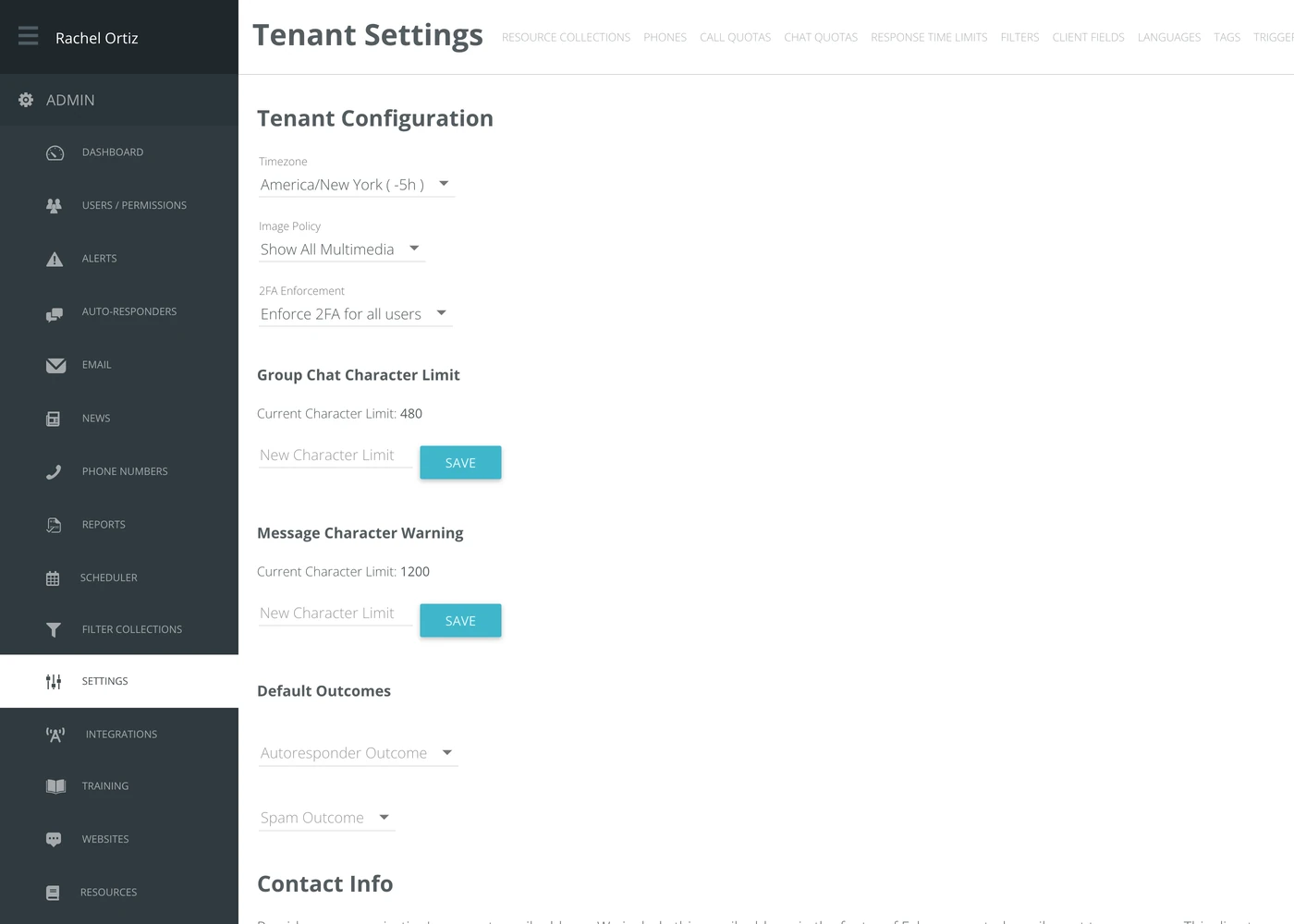
Look for "Group Chat Character Limit.
If there is a character limit currently applied to group chat, it will show you what that limit is.
Type the character limit you desire into the "New Character Limit" field and click "Save".
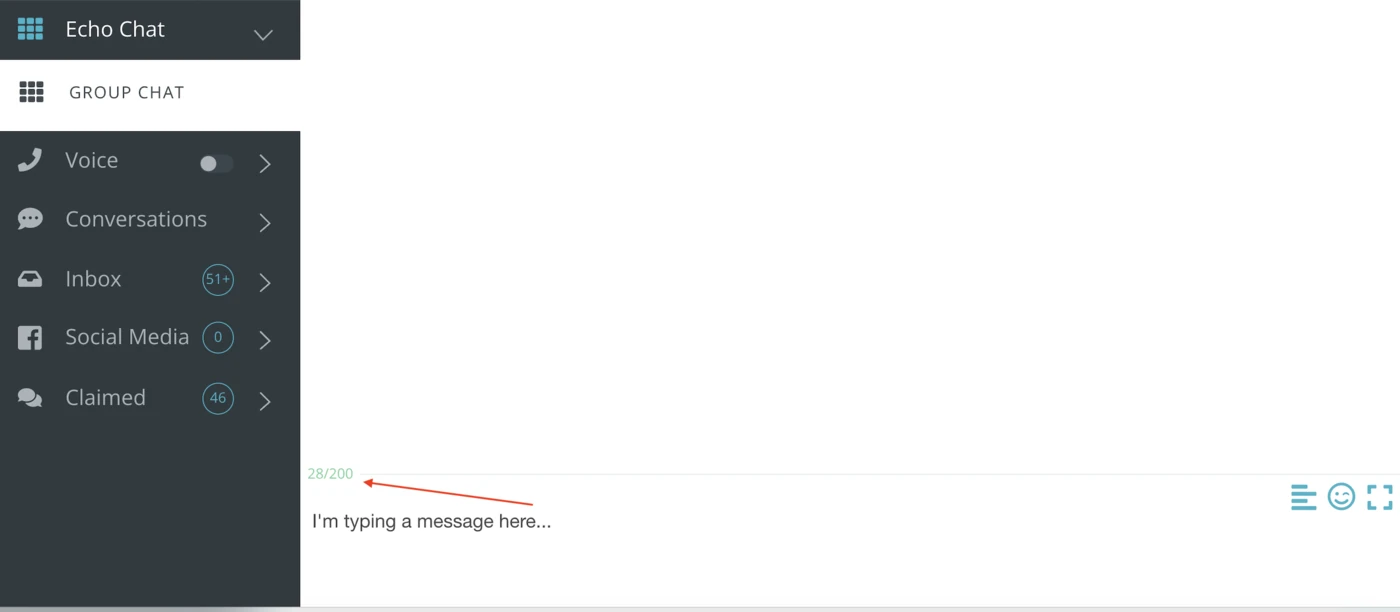
Now, when a user is typing into the group chat area, they will see a count of the characters they have typed against the limit, in green. Once they go over the character limit, the count will turn red and they won't be able to send their message.
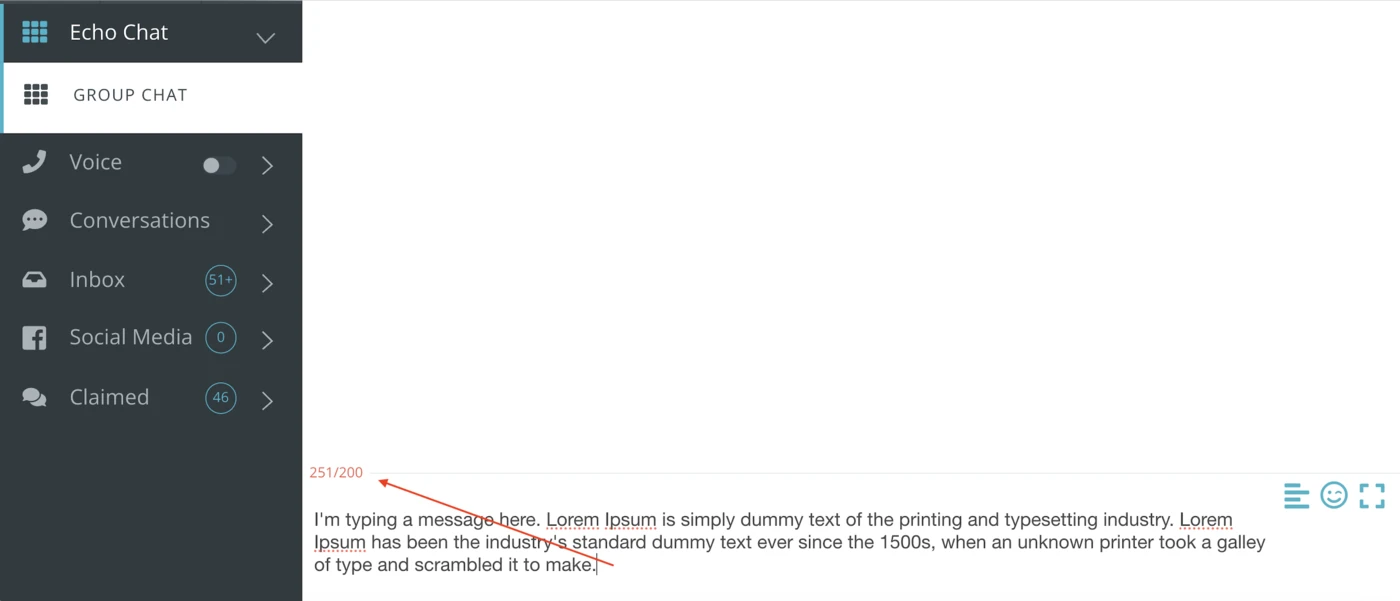
Once you've set a character limit, it can always be made higher or lower by an administrator.