
Email is a channel like any other in Echo: a seeker writes in, the message lands in the inbox, a responder replies. The email domain is what makes that possible — the address they write to, and the address the reply comes from.
Where to find it
In the admin menu, click Email, then Email Domains.
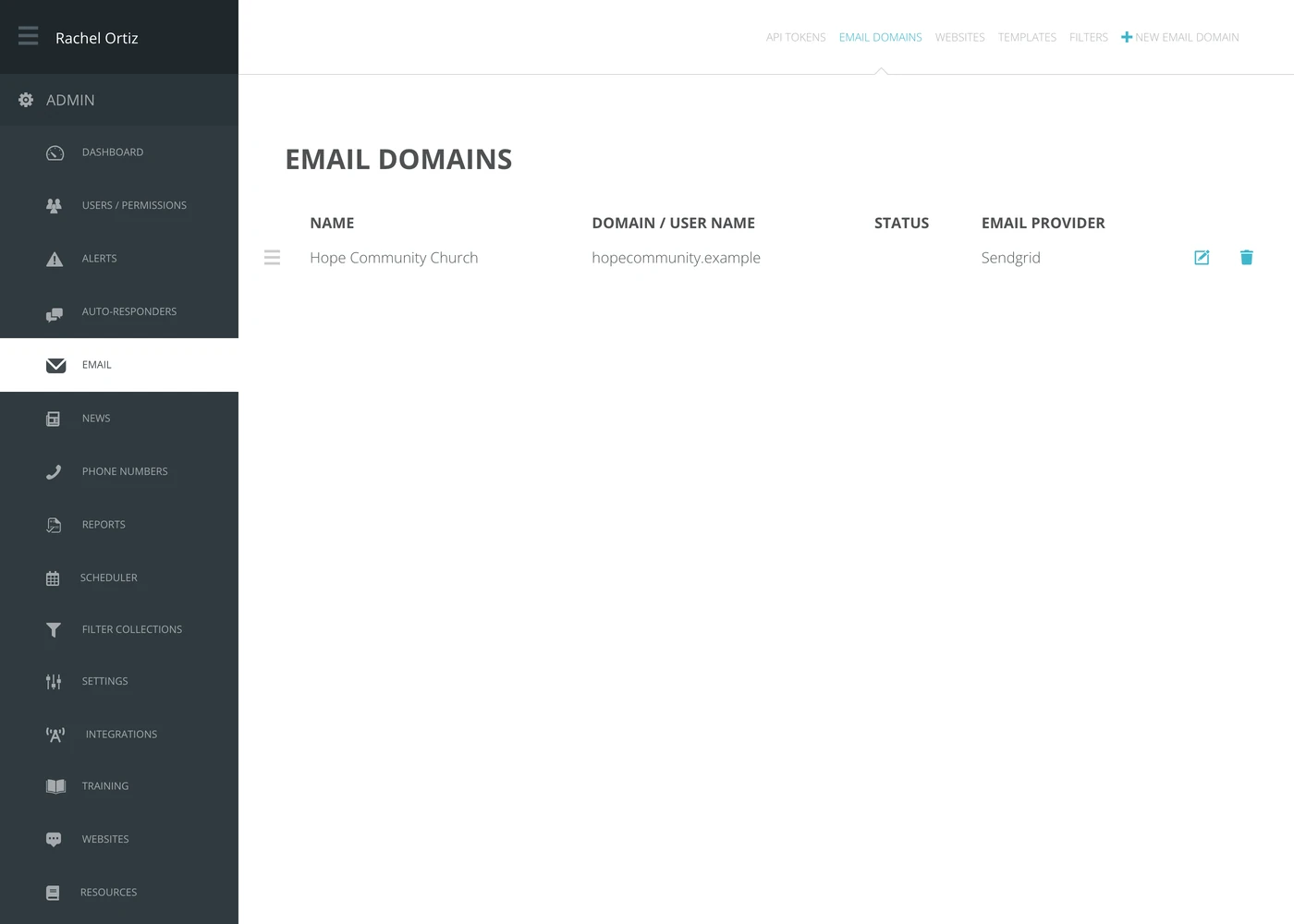
| Column | What it means |
|---|---|
| Name | What you call it inside Echo. |
| Domain / User Name | The domain mail arrives on, or the mailbox user name for a direct connection. |
| Status | Whether the connection is working. |
| Email Provider | How Echo is connected — a mail service, or your own mail server. |
Adding a domain
Click New Email Domain.
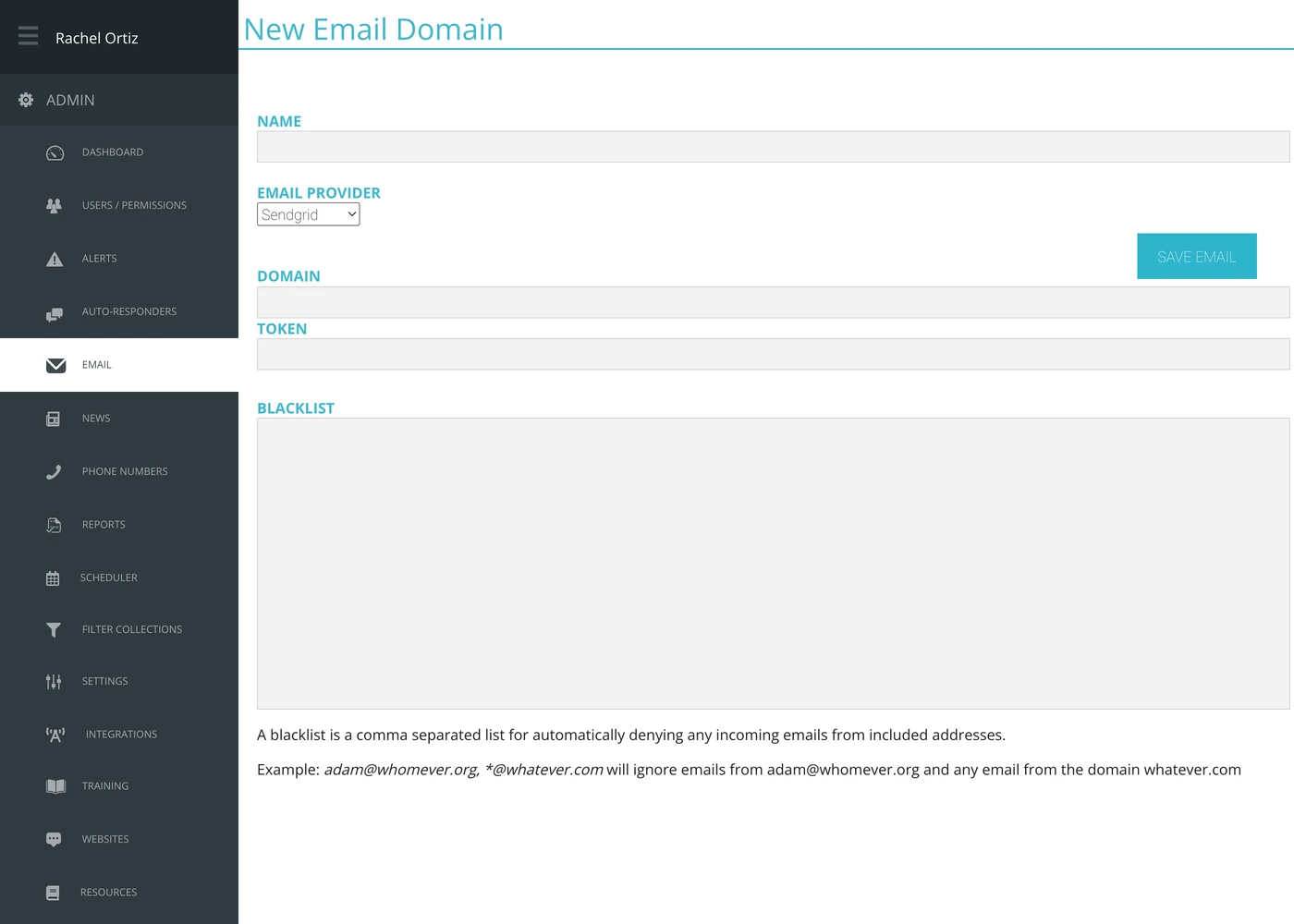
- Type a Name your team will recognize.
- Choose the Email Provider.
- Type the Domain.
- Paste the Token from that provider.
- Click Save Email.
Domain and Token are the fields for Sendgrid and Mailgun. The other providers ask for a User Name and Password instead, and SMTP also asks for its SMTP and IMAP server details.
Mail only reaches Echo once your domain's DNS points at it. That change happens wherever your domain is managed, not here, and it is the step most often missed — the domain saves fine and nothing arrives.
The blacklist
The Blacklist box denies incoming mail automatically. It appears when the Email Provider is Sendgrid. Echo's own explanation on the form: it is a comma separated list for automatically denying any incoming emails from included addresses.
Its example, verbatim: adam@whomever.org, *@whatever.com will ignore emails from adam@whomever.org and any email from the domain whatever.com.
The wildcard is what makes this useful. One *@somedomain.com entry stops a whole newsletter or ticketing system from filling the inbox with conversations no responder should have to close.
What the terms mean
| Term | What it means |
|---|---|
| Email domain | The domain seekers email, connected to Echo as a source. |
| Email provider | The service that carries the mail. |
| Token | The credential from that provider that lets Echo send and receive. |
| Blacklist | Addresses and domains whose mail Echo drops on arrival. |
| Source | What a connected email domain becomes. It appears on the Conversation Sources screen like any other channel. |