

A source is one place a seeker can reach you: a phone number, a chat website, a Facebook page, an email address, a Telegram bot. Every conversation in Echo arrives on a source, and almost everything else in the product is organized around them — who can see a conversation, which report it appears in, which auto-responder answers it.
This article is about the screen that lists them. Connecting a new channel happens on Integrations; this screen is where you rename, group and manage what is already connected.
Where to find it
In the admin menu, click Integrations, then Manage in the top right. The screen is titled Conversation Sources.
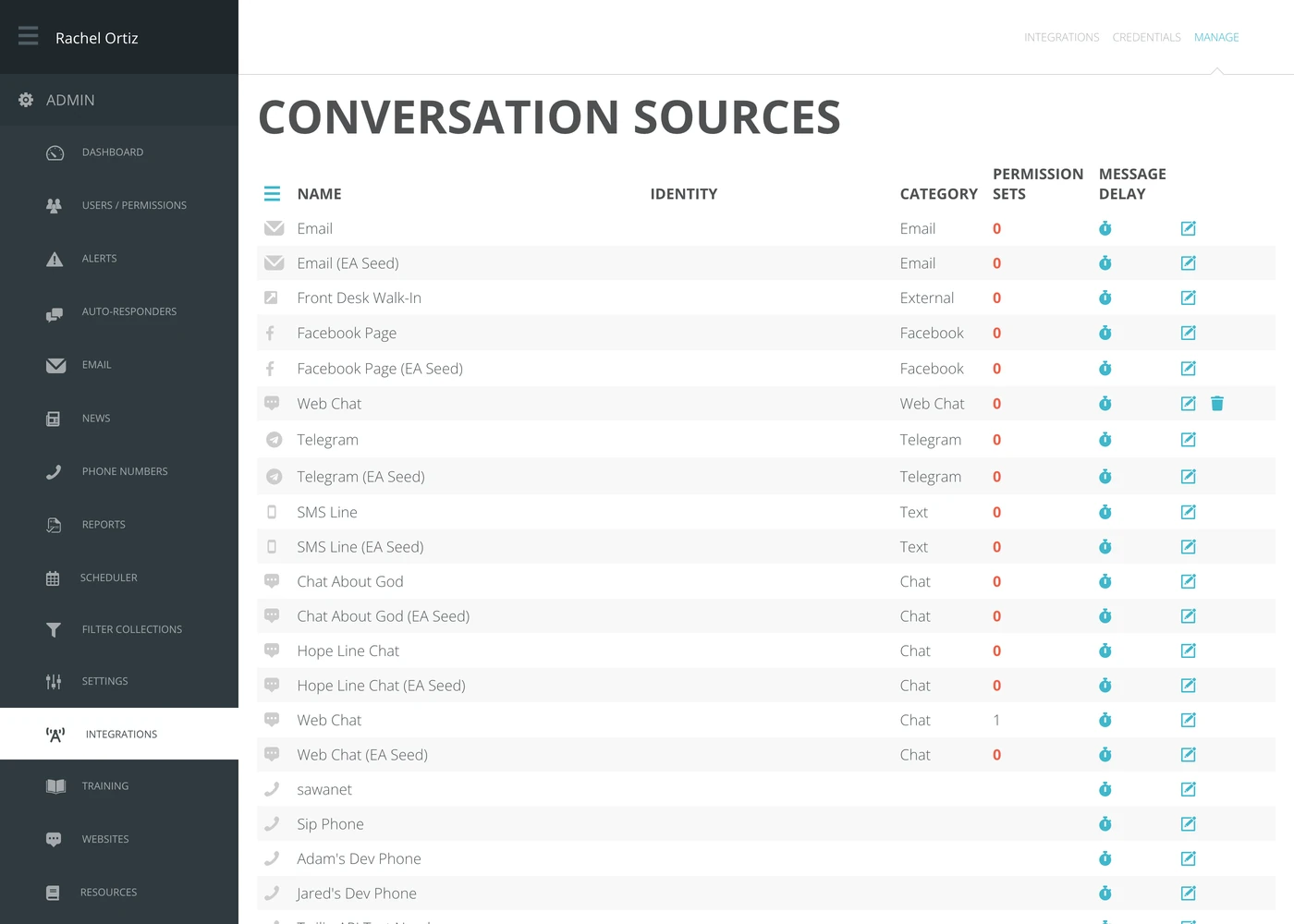
The three links across the top right are three different jobs:
| Link | What it is for |
|---|---|
| Integrations | Connecting a new channel for the first time. |
| Credentials | The social media accounts Echo is signed in to. |
| Manage | This screen — everything already connected. |
What each column tells you

| Column | What it means |
|---|---|
| Name | What this source is called inside Echo. You choose it, and you can change it — see below. |
| Identity | The address the seeker actually reaches: the phone number, the email address, the page. Echo reads this from the channel itself, so it is not editable here. |
| Category | The kind of channel — Text, Chat, Email, Gmail, Facebook, Telegram, Instagram, WhatsApp, Line, TikTok, YouTube, External. Echo works this out from how the source is connected; you do not set it. |
| Permission sets | How many permission sets include this source. A source in no permission set is one nobody can see conversations from. |
| Message delay | How long Echo waits before actually sending a responder's reply on this source. Zero means send immediately. |
A 0 in the Permission sets column is shown in red on purpose. Conversations will still arrive on that source, but no responder has been given access to it, so nobody will see them.
Renaming a source
The name is for your own team, not for the seeker. Use something a volunteer will recognize at 2am — Hope Line SMS rather than the raw number.
- Find the row for the source.
- Click the edit icon at the end of the row.
- Type the new name over the old one.
- Click the checkmark to save, or the x to cancel.
Seeing who can use a source
Click the number in the Permission sets column. Echo opens a list of every permission set that includes this source, how many responders are in each, and a link straight to that set.
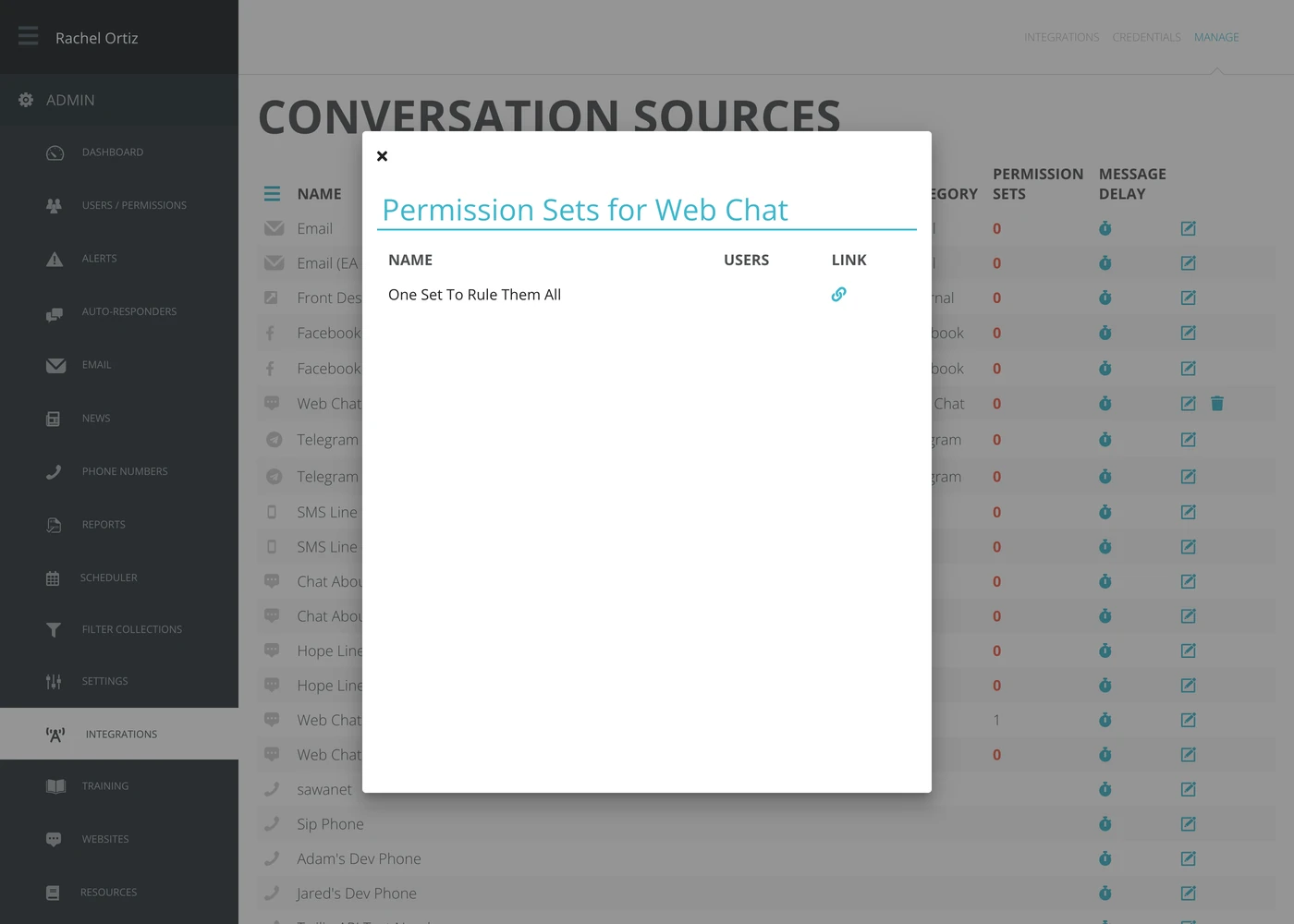
If the count is zero, nothing opens — Echo tells you the source does not belong to any permission set instead.
Setting a message delay
A message delay holds a responder's reply for a few seconds before it goes out, which gives them a moment to catch a mistake.
- Click the stopwatch icon on the row.
- Choose a delay from the list. The choices are 0, 3, 5, 10, 20, 30 and 60 seconds.
The change saves as soon as you choose. It applies to that one source.
Removing a source
A trash icon appears only on sources Echo is able to disconnect for you — the ones where it holds the access itself. Clicking it asks you to confirm, then revokes Echo's access to the channel and removes the source from every permission set.
Removing a source does not delete the conversations that already came in on it. They stay in reporting and in the CRM.
What the terms mean
| Term | What it means |
|---|---|
| Source | One place a seeker can reach you. Echo calls the underlying record a referrer, which is why you will occasionally see that word in a URL. |
| Identity | The public address of the source — the number, the email address, the page — as opposed to the name you gave it. |
| Category | The type of channel, worked out from how the source was connected. It is what reports and filters group by. |
| Permission set | A named bundle of access. A responder in a permission set can see conversations from the sources in it. |
| Source group | A saved selection of sources, so reporting and the CRM can be sliced by the group rather than one source at a time. Set up separately — see the Source Groups article. |
| Message delay | The number of seconds Echo waits before sending an outgoing message on this source. |
What usually goes wrong
- Conversations arrive but nobody sees them. The source is in no permission set. Check for a red 0.
- A source is missing from this list. If you are not a full admin, you only see the sources you have permission for and the ones you added yourself.
- The Identity column is blank. Some channels do not report a public address to Echo. That is expected and does not mean the source is broken.