A conversation ends, a responder records an outcome, and something else needs to happen — a row added to a follow-up sheet, a task raised for the care team, a record updated in the church database.
A conversation trigger is how Echo tells another system. When a conversation is closed with the outcome you name, Echo posts to a web address you give it.
Where to find it
In the admin menu, click Settings, then Triggers along the top.
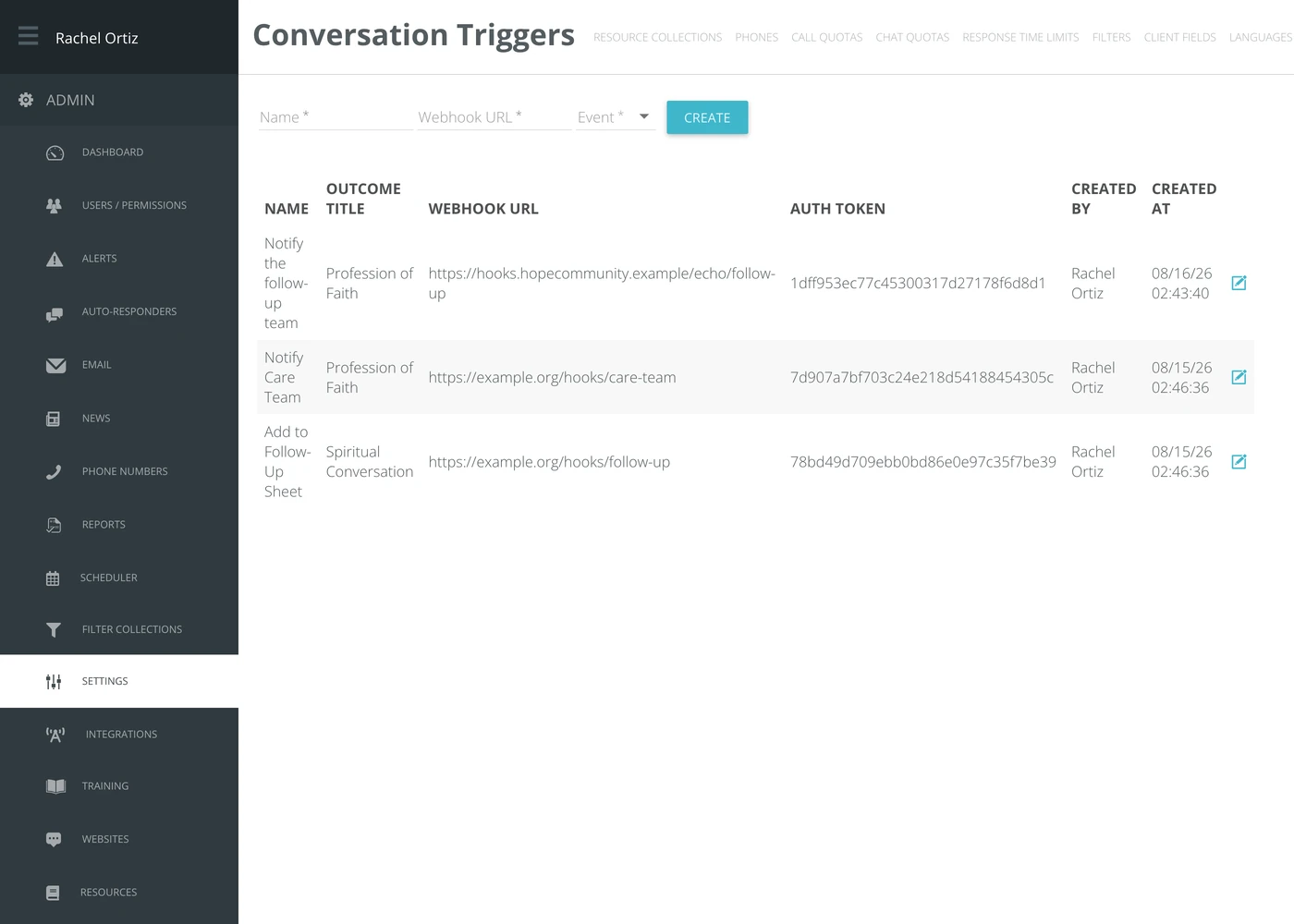
Creating a trigger
- Type a Name. Name it after what happens at the other end — you will read it again in six months.
- Type the Webhook URL — the address Echo should post to.
- Choose the Event — the outcome that sets the trigger off.
- Click Create.
The new trigger appears in the table below, with the Auth Token Echo generated for it, who created it, and when.
The auth token
Echo generates a token per trigger and sends it with every post. The system at the other end should check it and reject anything that arrives without it — otherwise anyone who guesses your web address can pretend to be Echo.
Treat the token as a password. Anyone holding it can post to your endpoint as if they were Echo.
Choosing which sources it applies to
A trigger only fires for conversations that arrived on the sources you select, and a new trigger starts with none selected, so it does not fire until you choose at least one. Click the edit icon on the trigger's row and click each source it should cover. Each click is saved as you make it.
What the terms mean
| Term | What it means |
|---|---|
| Conversation trigger | A rule that posts to a web address when a conversation is closed with a given outcome. |
| Webhook URL | The address Echo posts to. It has to be reachable from the internet. |
| Event | The outcome that sets the trigger off — one of your ministry's own outcomes. |
| Auth token | A secret Echo generates and sends with each post, so the receiver can tell it is genuinely from Echo. |
A trigger sends information out. It does not bring anything back into Echo, and it does not retry forever if the far end is down — build your receiving system so a missed post is recoverable.