The User Performance Report is about conversations. This one is about calls. It shows what each responder did with the calls Echo offered them, and which finished calls are still waiting for someone to record an outcome.
Where to find it
Click Reports, open the Calls group in the left sidebar and click User Performance. Do not confuse it with User Performance under Users.

Set up and run the report
- Click Sources and choose the phone numbers you want.
- Choose the date range and time zone.
- Click Run Report on each of the three cards.
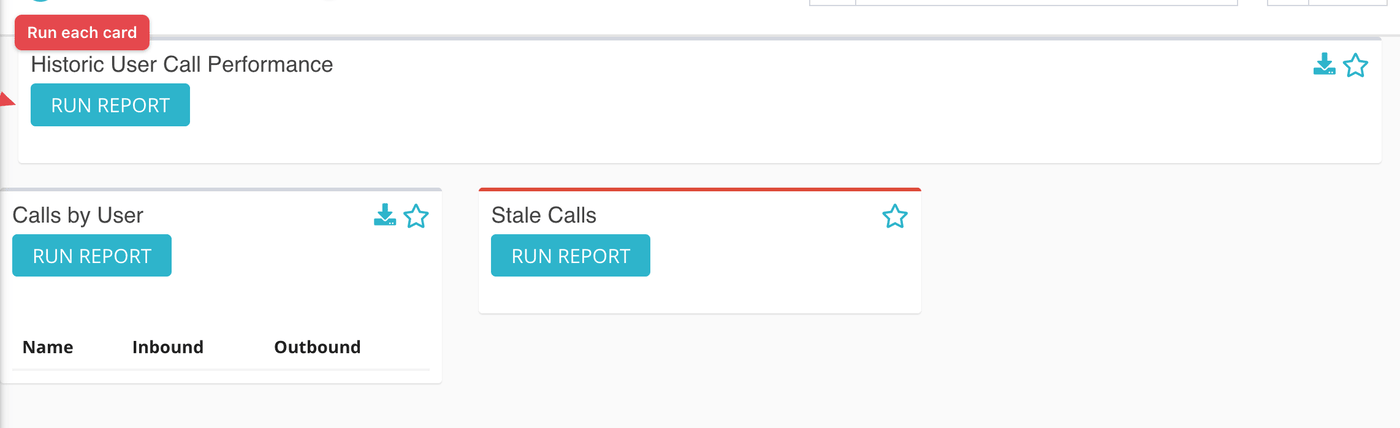
Historic User Call Performance
One row per responder who was offered at least one inbound call in your range.
| Column | What it means |
|---|---|
| Name | The responder's name, with their alias in brackets. |
| Accepted Calls | Calls the responder was offered and accepted. |
| Connected Duration | The total time the responder spent on those calls. |
| Rejected Calls | Calls offered to the responder that they did not accept, not counting calls that failed, rang with no answer, were canceled or met a busy signal. |
| User Details | A link to the responder's detail page, which opens in a new tab. |

Calls by User
A short table of responders with Inbound and Outbound counts. Inbound counts calls the responder accepted. Outbound counts calls they placed. Click a name to open their detail page.
Stale Calls
A list of calls that went past ringing (completed, claimed or blocked) but have no outcome recorded. Each entry shows the caller, when the call came in, the number called and the responder. Click the phone icon to open the call. The list stops at 100 calls.
These are the calls worth chasing. A call with no outcome is missing from every report that counts outcomes.
What the measurements mean
| Term | What it means |
|---|---|
| Offered | Echo rang the responder for this call. Each offer is a participant record on the call. |
| Accepted | The responder took the call. |
| Stale call | A call that has finished or been claimed and still has no outcome recorded. |
| Alias | The name a responder uses with seekers instead of their real name. |
What to keep in mind
- A high Rejected Calls count may mean a rota problem or a training problem. The Missed Calls Report and the scheduler can help tell which.
- For what is happening right now, use the Calls Live Dashboard, which has a one-hour version of the first table.