The teacher
David Wood and his channel
Acts17 Apologetics was David's original channel. His channel today is Apologetics Roadshow. YouTube began for him, together with Nabeel Qureshi, as a place to store videos of speaking engagements, debates and the occasional announcement.
Years ago, Quran burnings began in the United States. David looked at the numbers on a video he had made about them and saw something he had not expected. He was reaching people in countries that are usually closed to this kind of message.
We just entered a new age of humanity where we can reach anyone in those countries with an internet connection about alternatives to Islam.
So David made YouTube his main work, and speaking and debating second. Some of his videos now do best outside the West.
Christians for 14 centuries couldn't have even dreamed of having these opportunities to reach people around the world... I think we need to pay attention to the times we're living in.
His style is his own: bold, sarcastic, full of cultural references, built from years of talking with Muslims and learning what lands. Above all, he found that good content is what makes people watch. The pillars that follow are about the other half, how that content gets in front of people.
A · Before the pillars
Have a plan
Putting a video on YouTube is not the same as being seen.
David's advice
Most people upload a video and wait, hoping and praying it goes viral on its own. Don't play the waiting game. It takes a plan to share your video, so people know it exists and, with luck, pass it on.
Evidence
Short vertical video has its own place to be found: YouTube counts square or vertical videos up to three minutes long as Shorts [11].
Do this week · From Echo
Before you publish the next video, write one line: who it is for, the one question it answers, and the three places you will share it on the day it goes up.
In Echo
Echo is where the conversation goes after the view. Seekers can reach you on WhatsApp, Messenger, Instagram, LINE, Telegram, TikTok, YouTube, text, email, web chat and phone, and every one lands in one shared inbox.
B · Before the pillars
The YouTube algorithm
Every thumbnail you see on YouTube is there because the algorithm chose to show it.
David's advice
The suggested next video, the recommended list, the popular uploads: all of it is the algorithm at work. YouTube wants people to stay on YouTube, because that is how it earns from ads. We can use that by learning what the algorithm counts as valuable.
Evidence
YouTube's own page on recommendations says the system looks at how satisfied viewers were, not only how long they watched, and it uses surveys that ask viewers to rate what they watched, along with likes, dislikes and "Not interested" choices [9]. A title that promises more than the video gives works against you.
Do this week · From Echo
Look at your channel's numbers for your last five videos. Find the one people watched longest, and write down in one sentence why you think they stayed.
In Echo
Echo does not touch YouTube's ranking. It starts where the view ends: a person answers every seeker, and AI only reads the conversation afterwards.
Pillar 1 of 7
Video title
A title is the first promise you make, to a person and to the algorithm.
David's advice
Tell the viewer what the video is about, and use the words people would type to find it. Think about what the video covers and what people are searching for, and put those words in the title. Make the opening words count.
His own example: someone searches "Where did Jesus say 'I am God'?" and finds a video titled "Did Jesus say 'I am God'?"
Evidence
YouTube allows titles of up to 100 characters [1]. Put the important words first. Eligible creators can test up to three titles and thumbnails in YouTube Studio, and the one with the highest watch time is shown to everyone [6].
Do this week · From Echo
Take your last three titles. For each, write the question a seeker would type to find it. If those words are not in the title, rewrite it.
In Echo
Comments under your videos come into Echo as conversations, so the exact words seekers use to ask are in front of the person answering, and those are the words a title can borrow.
Pillar 2 of 7
Description
The description is how you tell YouTube what your video is about, since it cannot watch it.
David's advice
This may be the most underused part of a video. The algorithm cannot watch your video, so it leans on the words you wrote to describe it. Use the most relevant words for what the video is about. One or two paragraphs is plenty. It also helps your video turn up in Google searches, and it is a good home for links you mention in the video.
Evidence
Descriptions can run to 5,000 characters [1]. Chapters are timestamps in the description that let viewers jump: the first must be 00:00, and a list needs at least three in order [7]. Of the hashtags you add, up to three show above the title, and more than 60 are ignored [10]. Put the point in the opening lines, the part a viewer meets first.
Do this week · From Echo
Write the first two lines of your next description as if they were the only lines read. Then add one link to a place where a real person will answer.
In Echo
YouTube comments are a channel Echo answers on: your responders read and answer the comments under your videos from inside Echo, with no reply window running out.
Pillar 3 of 7
Keywords
Know the words people use, then use them where people will see them.
David's advice
Add relevant keywords to every upload, because many Christian channels with good content skip them and go unseen. Pick them by supply and demand: sometimes you want to stand apart, sometimes to ride a popular topic. Keywords do two jobs: they match what people search, and they help you match the "Up Next" video on another channel.
Evidence
YouTube says the title, thumbnail and description matter more than tags. Tags help mostly when a word is often misspelled, and otherwise play a minimal role. Filling the description with tags is against its spam policy [2]. So the lasting skill is knowing the words people use. Type the start of your question into YouTube's search box and read the suggestions.
Do this week · From Echo
Type the start of your next video's question into YouTube's search box. Write down the first five suggestions. Work two of them into your title or description.
In Echo
Echo names seven kinds of barrier a seeker can carry, and its Seeker Barriers report reads for them in a ministry's own conversations (EchoAnalyst, a paid add-on), a good list of what your viewers may be asking underneath the question.
Pillar 4 of 7
Subtitles
Many people will watch your video with the sound off.
David's advice
If you have a script, upload your own subtitles. YouTube can line the words up with the video, and the algorithm reads them too, looking for repeated words and phrases. More people watch on phones, on the train, in bed next to a sleeping spouse, in a dull meeting. Subtitles make your video open to more people in more situations.
Evidence
YouTube makes automatic captions, and says they might misrepresent what was said because of mispronunciations, accents, dialects or background noise, so creators should review and fix them in Studio [3]. Names and Bible references are exactly where that bites.
Do this week · From Echo
Watch one of your videos on mute with captions on. Fix every wrong word, starting with names and verses.
In Echo
Seekers write to ministries in their own languages, and every conversation, whatever the channel, arrives in the one shared inbox where a person reads and answers it.
Pillar 5 of 7 · part one
Thumbnails
Your thumbnail is the one tactic aimed at a person's curiosity, not the algorithm's.
David's advice
YouTube offers three stills from your video. David stopped using them and will never go back. Title, thumbnail and description should all say, "I've got what you're looking for." You may be one of fifteen or so recommended videos, with very little time to win the click.
There are two ways to think about it. Search-friendly: someone searched, and your thumbnail and title are one among many. Browser-friendly: the viewer was watching something else, never looked for you, and your thumbnail catches their eye.
The sticker cut-out
David's signature: a face cut out with a white outline, words on the left, one red arrow. Echo calls it the sticker cut-out. It is taken apart below.
Evidence
A custom thumbnail needs a verified account, 16:9, at least 640 pixels wide, JPG or PNG [4]. You can test up to three against each other [5].
Pillar 5 · part two
Stand out in both
In search, the viewer is looking for an answer, and your title, thumbnail and description should all say you have it. In browsing, the viewer was watching something else and never looked for you. In both, David says the title and the thumbnail have to be clear and compelling, in a very small space and a very short time.
Four questions Echo suggests you ask of any thumbnail:
One idea
Can someone say in a breath what it is about?
Small and still clear
Is it readable at the size of a postage stamp, among a dozen others?
A face to meet
If there is a person, can you see their eyes?
A promise kept
Does the video give what the thumbnail offered? YouTube says it weighs satisfaction, not clicks alone [9].
In Echo
A thumbnail makes a promise to a stranger. In Echo, a person answers every seeker who writes back.
Pillar 5 · taken apart
The sticker cut-out
David's signature: a face cut out with a thick white outline on the right, huge words on the left, and often one red arrow. Echo calls it the sticker cut-out.
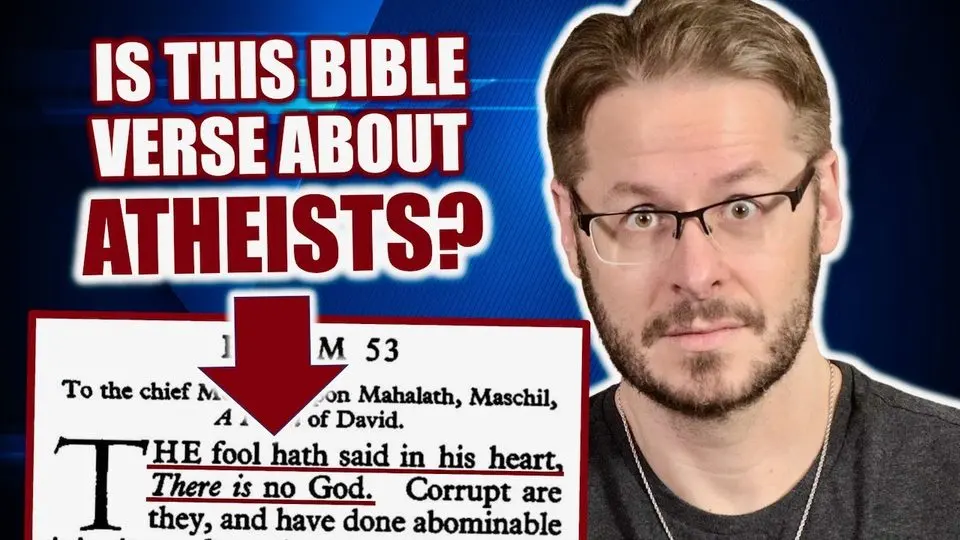
- 1 Contrast. White and red words on a deep blue ground: nothing is gray.
- 2 A promise kept. The verse is shown in the frame, so the promise is specific and the video has to deliver it.
- 3 Words, big and left. The largest word is the question. The words sit on the left, away from the face.
- 4 One red arrow. It shows exactly where to look.
- 5 The white outline. A thick white edge lifts him off the background, like a sticker.
- 6 A face you can read. Eyes to the camera, one clear expression, placed on the right.
In Echo
A thumbnail makes a promise to a stranger. In Echo, a person answers every seeker who writes back to see if it was kept.
Pillar 5 · the sticker cut-out
Thumbnails that work
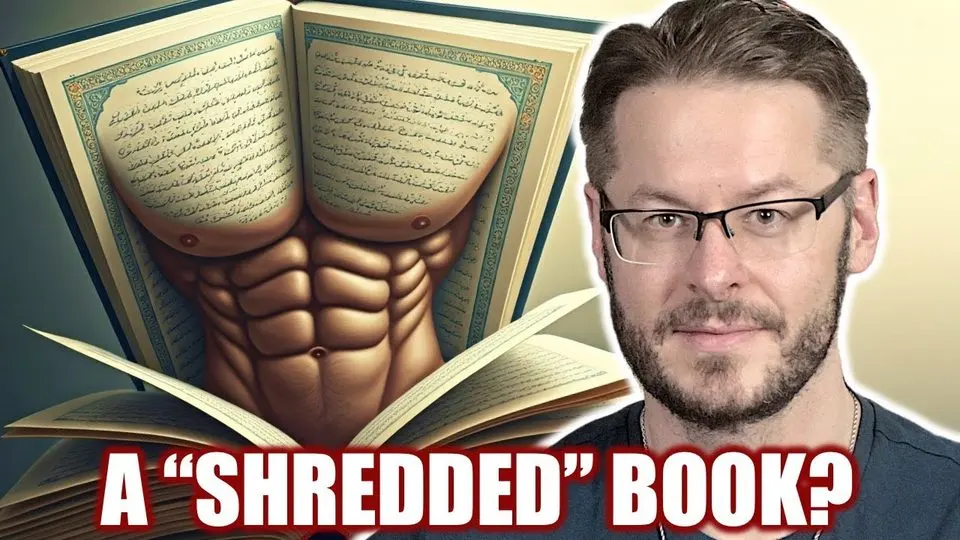
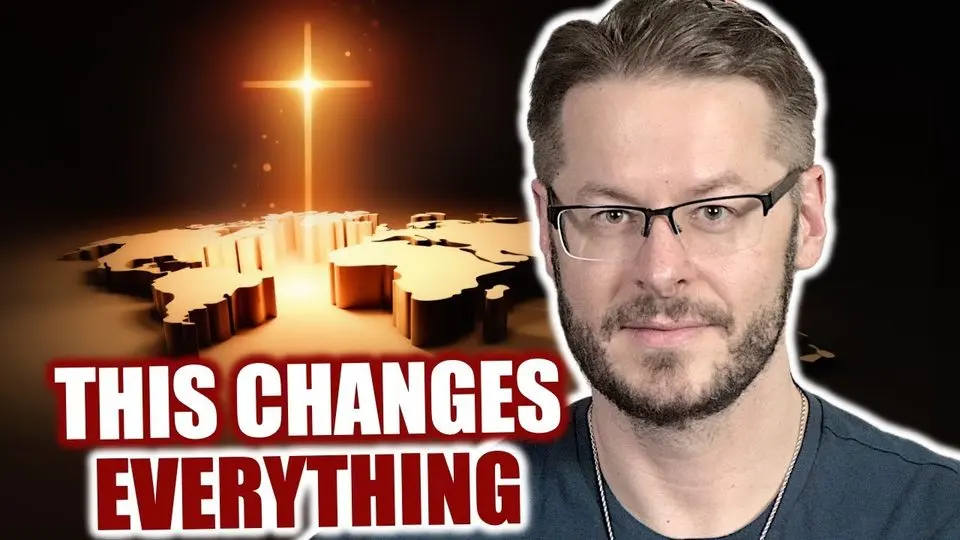
Eight thumbnails from David's channel, and what each one does in a glance.
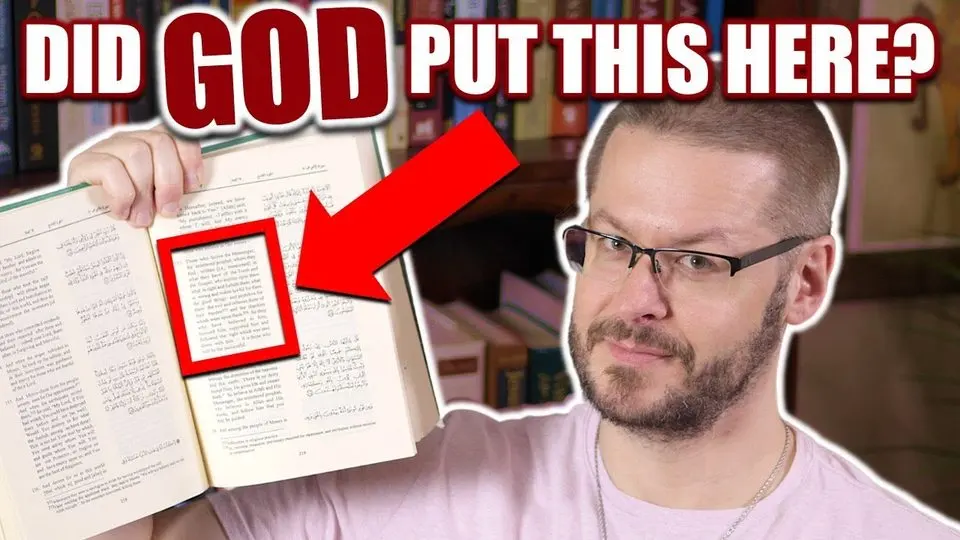
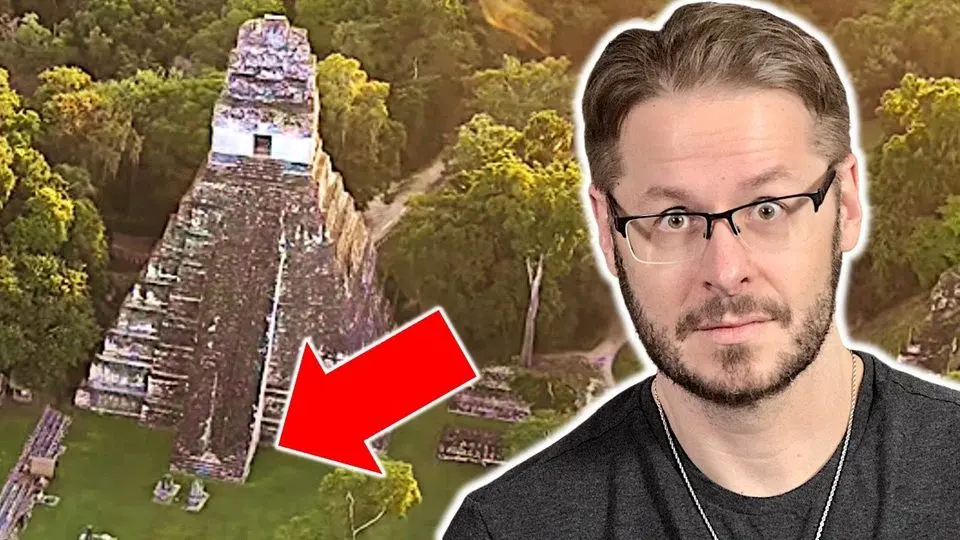
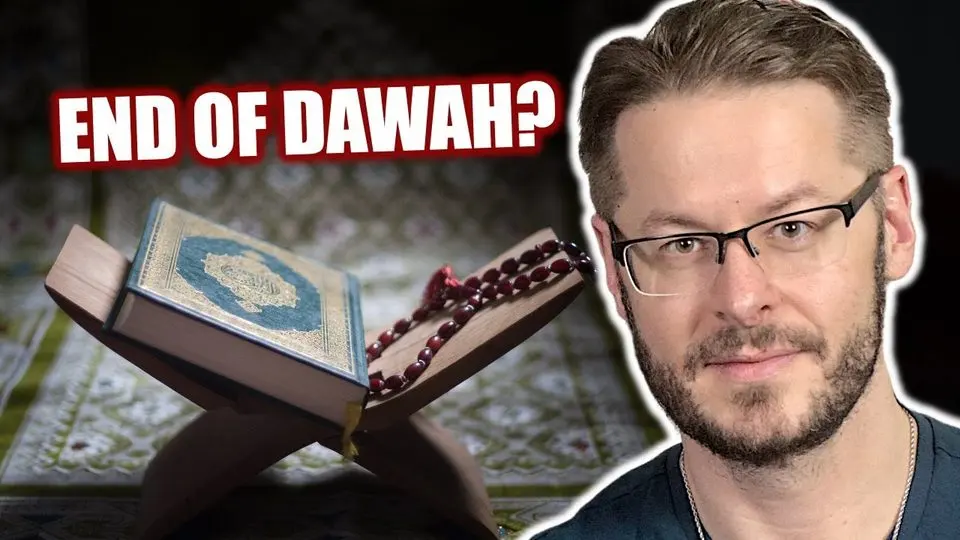
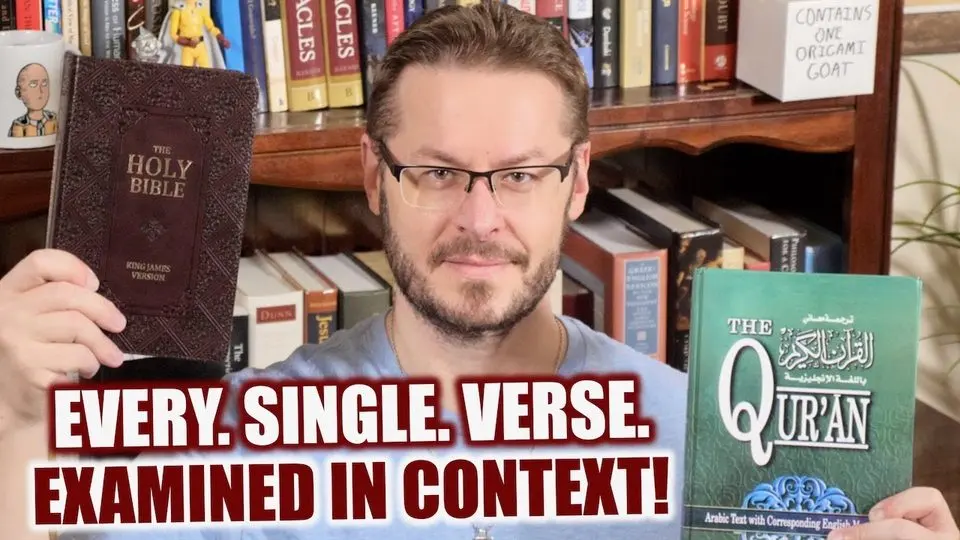

Pillar 5 · the thumbnail studio
Two tools, one thumbnail
Make the picture in one tool. Add the words in another. Each does what it does best.
Higgsfield · Soul Cinema
Make the picture
Soul Cinema makes cinematic, photographic people and places. Ask for 16:9, one clear subject, and one side of the frame left empty for the words.
ChatGPT · GPT Image 2
Add the words
Upload the picture and ask GPT Image 2 to add them. It is strong at lettering and at editing a picture.
Each tool does what it does best.
The photo stays clean, with no lettering baked into it.
One photo, many thumbnails: reuse it with new words.
The three walkthroughs, picture to thumbnail
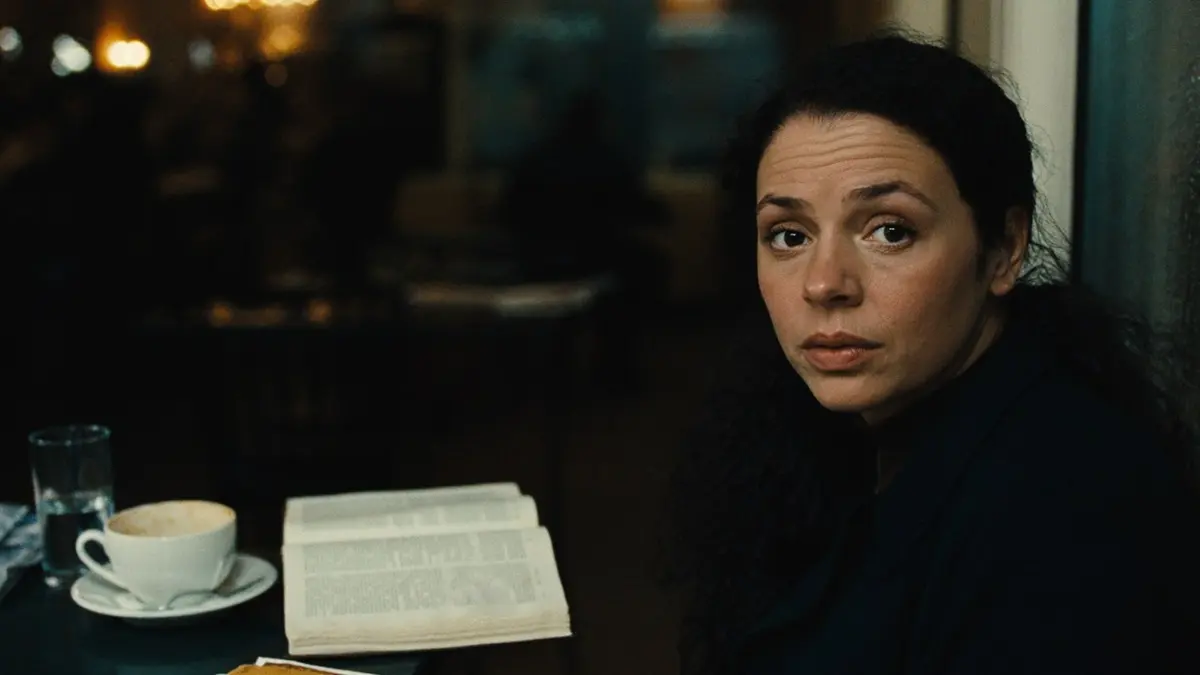
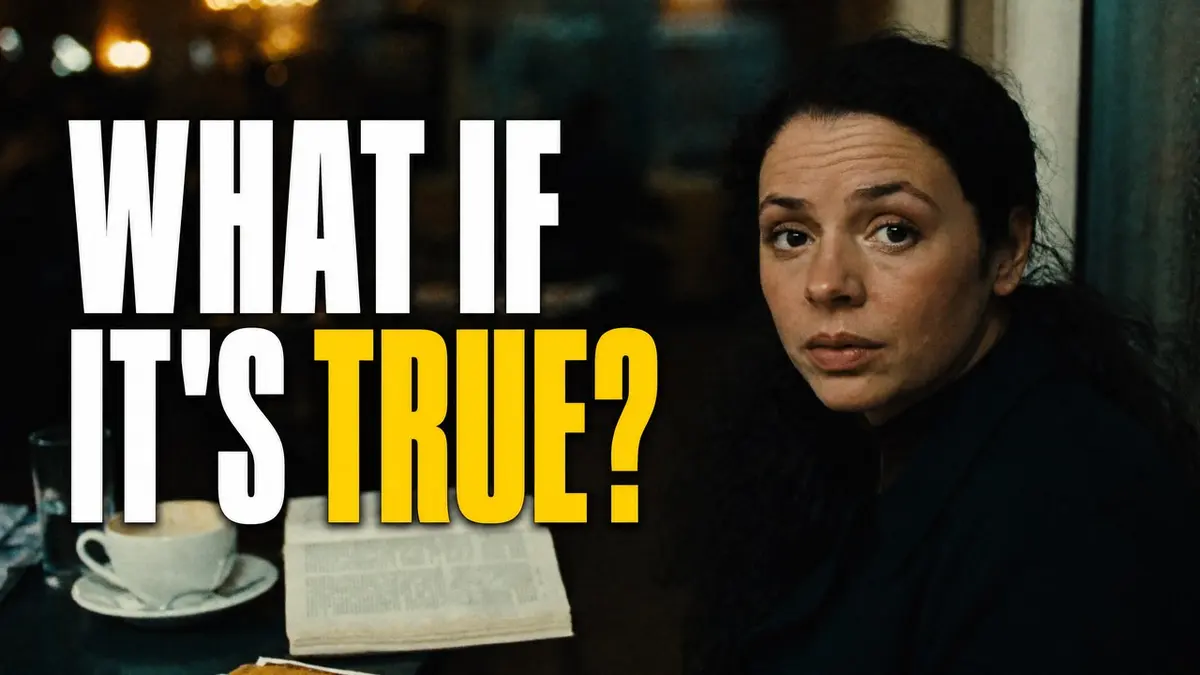
1 · The question thumbnail
(walkthrough 1)
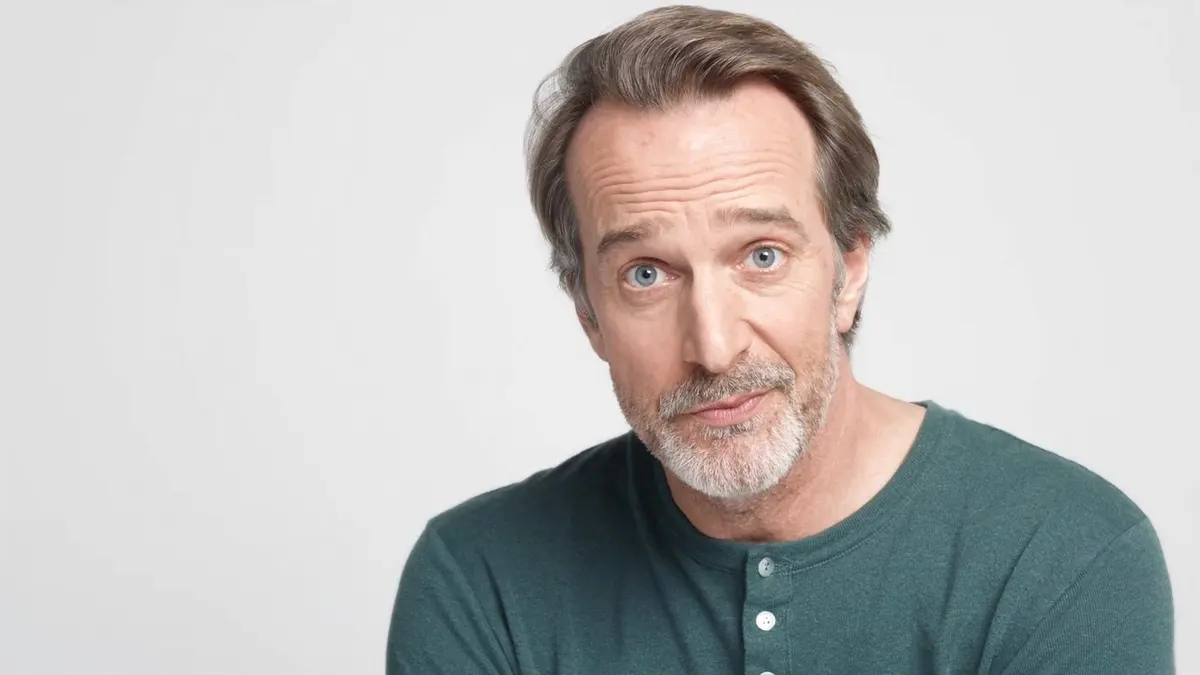
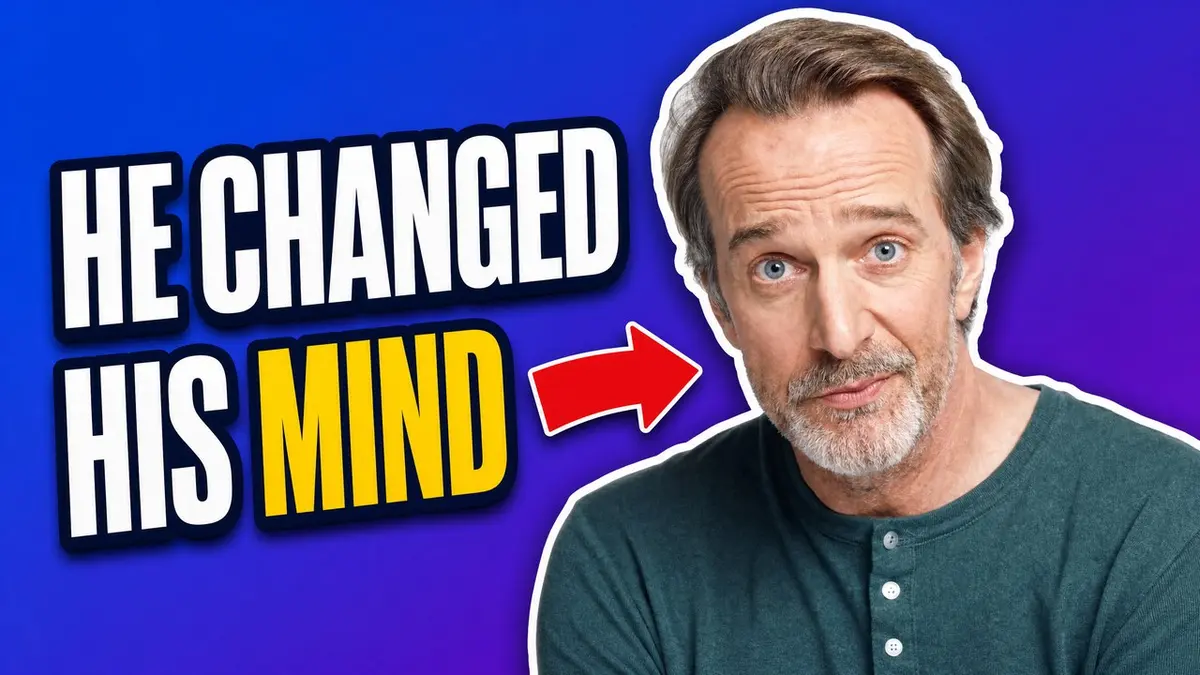
2 · The sticker cut-out
(walkthrough 2)
3 · The close-up
(walkthrough 3)
Use your own face, or the face of someone who agreed, and never imitate a real person. Check the spelling of every word before you publish.
Thumbnail studio · walkthrough 1 of 3 · step 1
The question thumbnail
One face looking straight at you, one honest question, and a dark empty side where the words can breathe.
Higgsfield · Soul Cinema · 16:9 · Before
Paste this into Higgsfield, Soul Cinema, 16:9:
Candid documentary still, 16:9. A woman in her early thirties with dark curly hair sits at a small cafe table beside a rain-streaked window at dusk, looking straight into the camera with a quiet, searching expression and one eyebrow slightly raised. An open paperback Bible and a half-finished coffee on the table. She sits in the right third of the frame; the left half of the frame is soft, dark, out-of-focus cafe interior with warm bokeh lights, kept empty and uncluttered. Shot on an 85mm lens, shallow depth of field, soft key light from the window on her face, natural skin texture, slight film grain, muted teal and warm amber grade. No text anywhere in the image.What to copy
- 1 Say where the subject sits and which side stays empty. The words will go there.
- 2 End with “No text anywhere in the image.” The photo stays clean for step 2.
- 3 Give one clear emotion: a quiet, searching look, one eyebrow slightly raised.
Thumbnail studio · walkthrough 1 of 3 · step 2
The same photograph, with the words added and nothing else changed.
Before
ChatGPT · GPT Image 2 · After
Upload the picture, then paste:
Edit this photograph into a YouTube thumbnail. Keep the photograph exactly as it is: the same woman, the same face, lighting and framing. Add only text, on the empty dark left side, in two stacked lines: "WHAT IF" and "IT'S TRUE?". Use a tall, heavy, condensed sans-serif (like Impact or Anton), pure white, tightly spaced, with a thin soft black shadow so it separates from the background. Make the word "TRUE?" bright yellow (#FFD400). The text block fills about 40 percent of the image width and stays readable when the thumbnail is shown 120 pixels wide. Keep a 5 percent margin from every edge. Do not add anything else: no logos, no extra words, no borders, no arrows.What to copy
- 1 Say “Keep the photograph exactly as it is” and ask for the text only.
- 2 Name the lettering: a tall, heavy, condensed sans-serif, with one yellow word, #FFD400.
- 3 Set the size and the margin: 40 percent of the width, 5 percent from every edge.
Thumbnail studio · walkthrough 2 of 3 · step 1
The sticker cut-out
David's signature starts with an ordinary portrait: a clear face on a plain backdrop, with room on the left.
Higgsfield · Soul Cinema · 16:9 · Before
Paste this into Higgsfield, Soul Cinema, 16:9:
Studio portrait photograph for a magazine, 16:9 frame. A man in his forties with a short salt-and-pepper beard, no glasses, wearing a dark green henley, looks directly into the camera with an open, curious expression and eyebrows slightly raised, a hint of a smile. Head and shoulders, positioned in the right half of the frame, facing the camera. Plain light-grey seamless paper backdrop, bright even beauty-dish lighting with soft shadows, 85mm lens, crisp focus on the eyes, natural skin texture. The left half of the frame is empty backdrop. No text.What to copy
- 1 Ask for a plain, even backdrop. It makes the cut-out clean.
- 2 Put the person on the right and leave the left half of the frame empty for the words.
- 3 Bright, even light and crisp eyes: a face you can read, with an open expression.
Thumbnail studio · walkthrough 2 of 3 · step 2
A face cut out with a thick white outline, a bold ground, the words left and one red arrow.
Before
ChatGPT · GPT Image 2 · After
Upload the picture, then paste:
Turn this portrait into a YouTube thumbnail in the "sticker cut-out" style. Cut the man out of the photo and give him a thick white outline (about 2.5 percent of the image height) with a soft drop shadow, like a sticker. Keep his face, hair, beard and clothes exactly as in the photo, and keep him large on the right side. Replace the background with a flat, saturated gradient from royal blue (#1B3FD8) at the top left to deep violet (#5B21B6) at the bottom right. On the left, add the words "HE CHANGED" and "HIS MIND" in two stacked lines in a heavy condensed sans-serif, white fill with a thick dark-navy outline and a subtle shadow, with "MIND" in bright yellow (#FFD400). Add one flat red arrow (#E11D2E) between the words and the man, pointing at his face. Nothing else: no logos, no extra words.What to copy
- 1 Name the style: “sticker cut-out”, with a thick white outline and a soft drop shadow.
- 2 Give the exact colors. The background, the yellow word and the red arrow each have a hex code.
- 3 To use your own face, skip step 1: upload your own portrait here and keep the rest.
Thumbnail studio · walkthrough 3 of 3 · step 1
The close-up
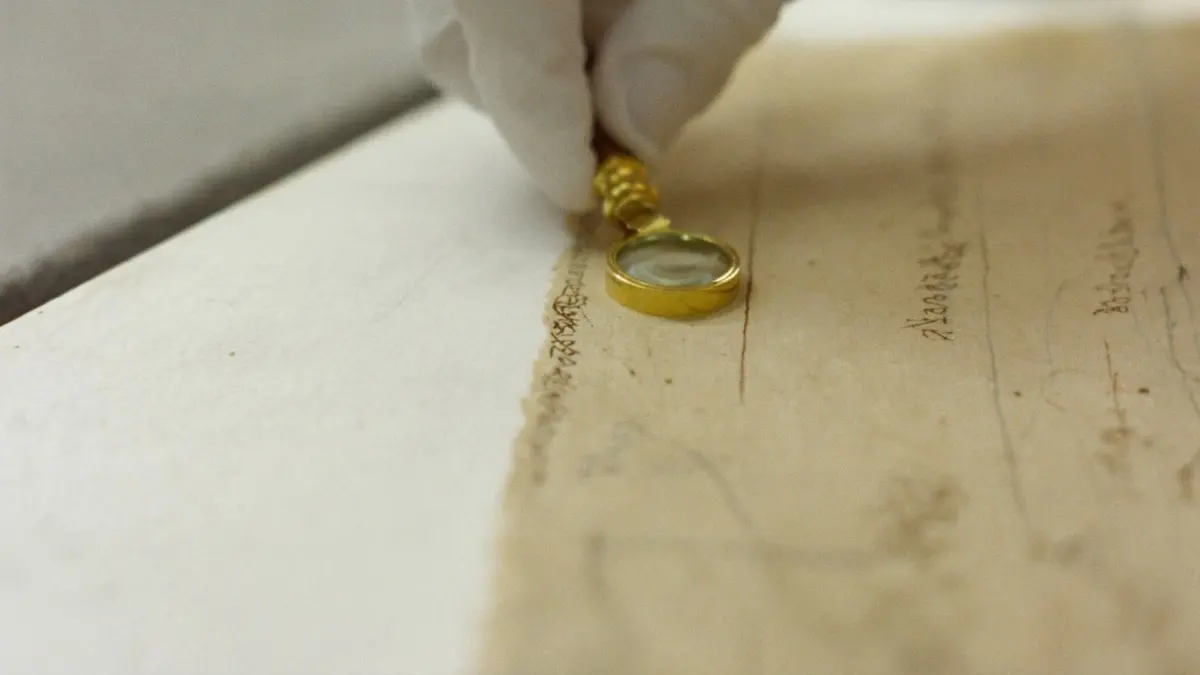
One detail, close up, with a calm bench on the left where the words will go.
Higgsfield · Soul Cinema · 16:9 · Before
Paste this into Higgsfield, Soul Cinema, 16:9:
Macro documentary photograph, 16:9. A fragment of ancient papyrus with faded brown ink lines lies on a white archival table; a conservator's white-gloved hand holds a small brass magnifying glass over one corner of it. Soft north-window light, extremely shallow depth of field, warm neutral tones, realistic fibres and age, the ink marks abstract and unreadable. The papyrus and magnifier sit in the right two-thirds of the frame; the left third is a calm, out-of-focus bench. Shot on a 100mm macro lens, slight film grain. No text.What to copy
- 1 Aim at one detail: here, a small magnifying glass over one corner of the papyrus.
- 2 Leave room. The calm, out-of-focus bench on the left third is where the words go.
- 3 Keep the marks unreadable and finish with “No text.” so the picture holds no words of its own.
Thumbnail studio · walkthrough 3 of 3 · step 2
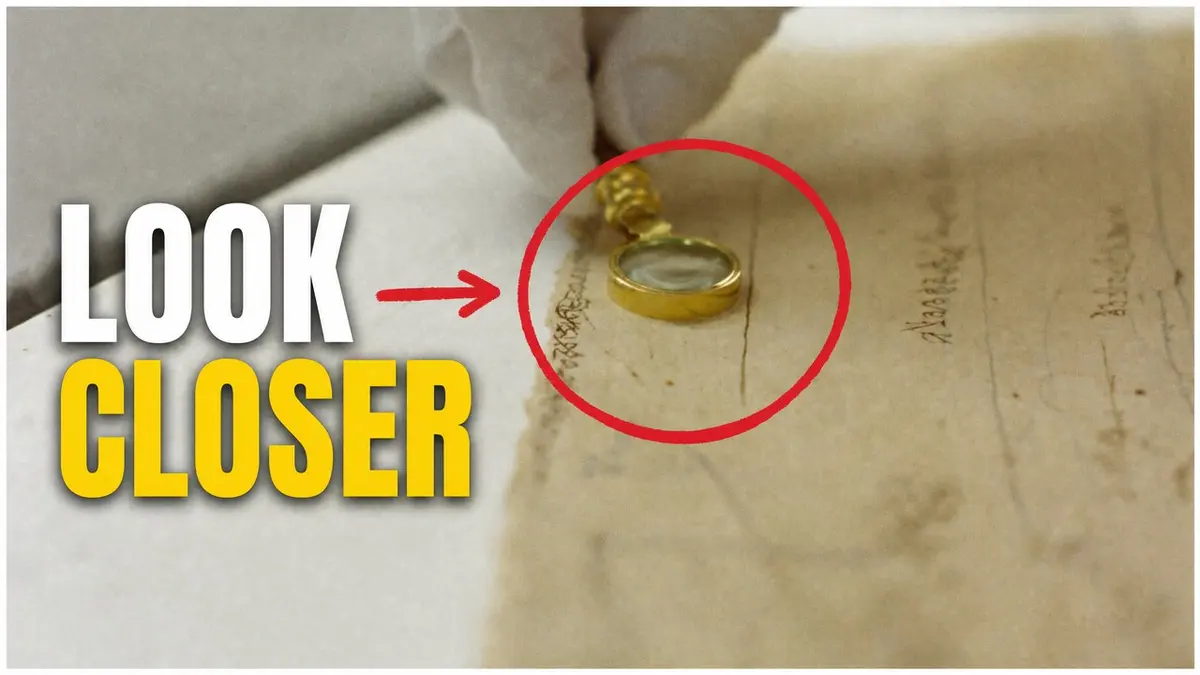
The same close-up, with the words, a red circle and one arrow added.
Before
ChatGPT · GPT Image 2 · After
Upload the picture, then paste:
Edit this photograph into a YouTube thumbnail. Keep the photograph exactly as it is. Add: (1) the words "LOOK" and "CLOSER" stacked on the left side in a heavy condensed sans-serif, white with a thin dark shadow, with "CLOSER" in bright yellow (#FFD400); (2) a hand-drawn red circle (#E11D2E, thick, slightly imperfect) around the brass magnifying glass and the ink marks beneath it; (3) one short flat red arrow pointing from the words toward the circle. Keep a 5 percent margin from the edges. No other text, logos or graphics.What to copy
- 1 Name the circle and the arrow: a hand-drawn red circle, one short arrow from the words.
- 2 Number what you add: (1) the words, (2) the circle, (3) the arrow. It is easier to check.
- 3 Keep a 5 percent margin from the edges so nothing is cut off.
Pillar 5 · the thumbnail studio
Your own prompt
Two templates, one for each step. Fill in the brackets and keep everything else.
Step 1 · Soul Cinema (Higgsfield)
[STYLE: Candid documentary still / Studio portrait photograph / Macro documentary photograph], 16:9. [WHO OR WHAT, with one clear emotion or action]. [WHERE, and the time of day]. [WHERE THE SUBJECT SITS IN THE FRAME]; the [LEFT / RIGHT] [HALF / THIRD] of the frame is [soft, dark and empty] so words can go there. Shot on a [85mm / 50mm / 35mm] lens, shallow depth of field, [LIGHT], natural skin texture, slight film grain, [COLOUR GRADE]. No text anywhere in the image.STYLE pick one of the three. WHO OR WHAT one subject with one clear emotion or action. WHERE the place and the time of day. WHERE THE SUBJECT SITS for example the right third. LEFT / RIGHT, HALF / THIRD the side kept empty for the words. LENS 85mm close on a face, 50mm for a group, 35mm for a place. LIGHT soft window light, golden hour, one lamp. COLOUR GRADE two colors, such as muted teal and warm amber.
Step 2 · GPT Image 2 (ChatGPT)
Edit this photograph into a YouTube thumbnail. Keep the photograph exactly as it is. Add only text, [WHERE], in [one / two] stacked line[s]: "[WORDS]". Use a tall, heavy, condensed sans-serif, pure white, with a thin soft black shadow so it separates from the background. Make the word "[KEY WORD]" bright yellow (#FFD400). The text block fills about 40 percent of the image width and stays readable when the thumbnail is shown 120 pixels wide. Keep a 5 percent margin from every edge. Full-bleed image, no border or frame. Do not add anything else: no logos, no extra words.WHERE the empty side, for example on the left. ONE / TWO the number of stacked lines. WORDS three words or fewer, in capitals. KEY WORD the one word in yellow.
Filled in for the first example (walkthrough 1)
Pillar 5 · the thumbnail studio · more to try, 1 of 3
Six more to try
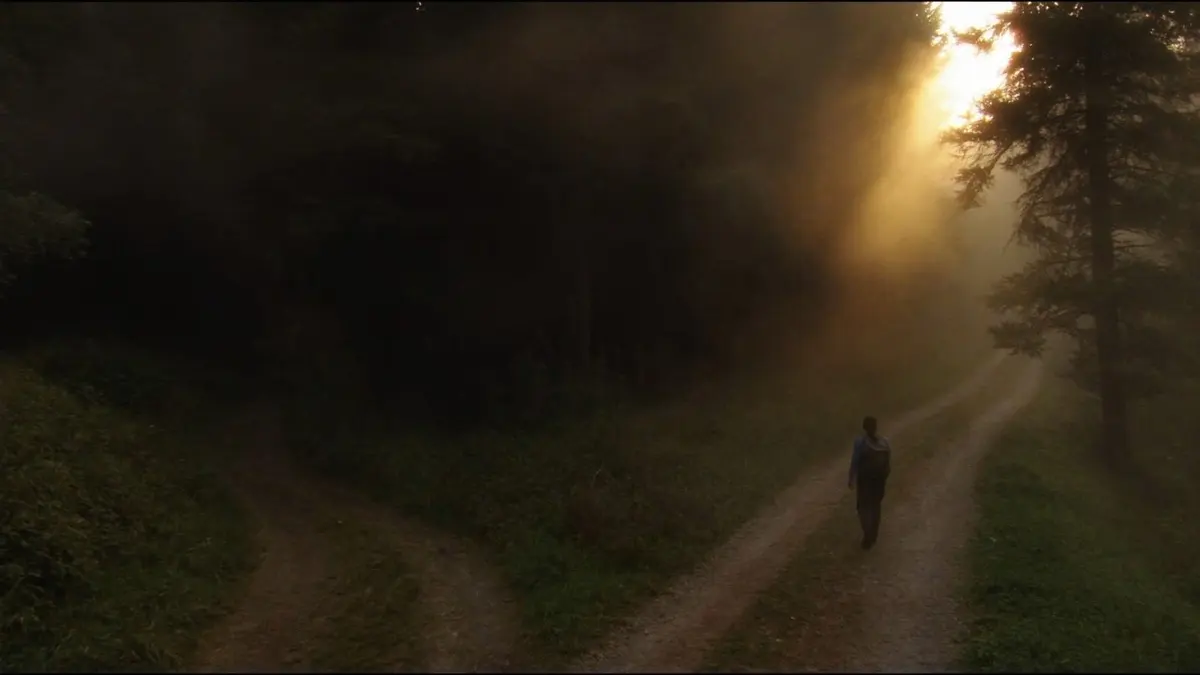
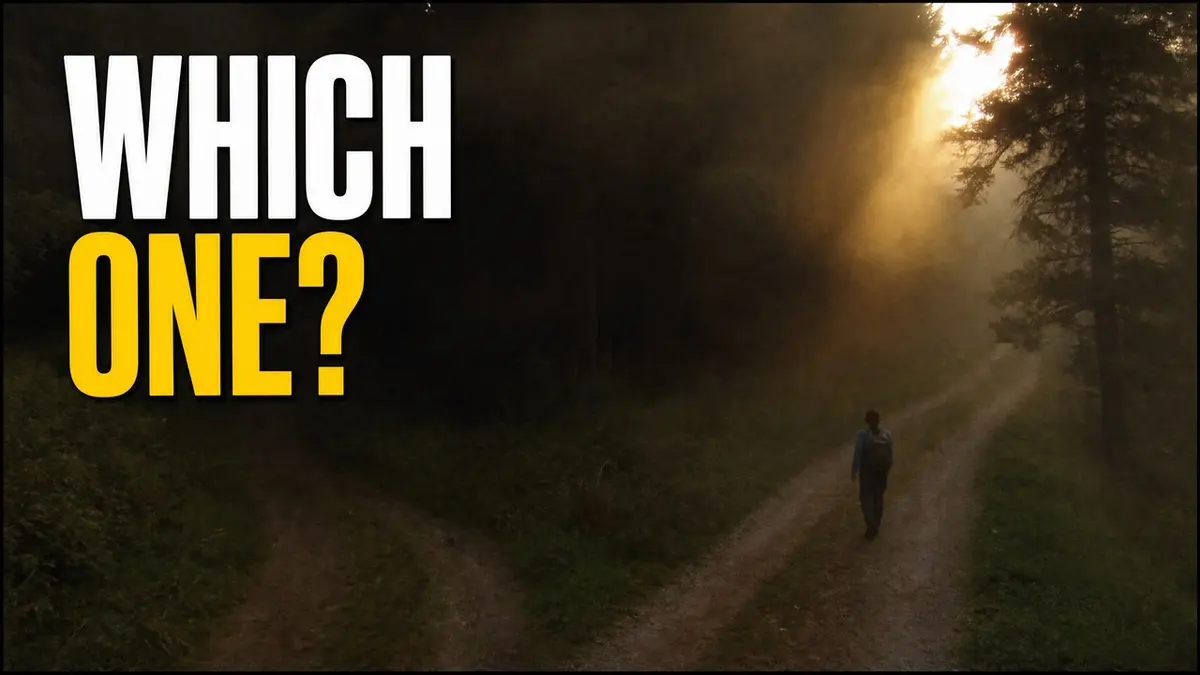
Two choices for a comparison: two paths, two answers
Step 1 · Soul Cinema (Higgsfield), 16:9
Documentary photograph, 16:9. A hiking trail forks in two directions through misty pine forest at first light. The left path is dark and overgrown; the right path is lit by a shaft of low golden sun. A lone hiker with a backpack, seen from behind, stands small at the fork. Soft fog, 35mm lens, natural colours, subtle film grain. Keep the upper third of the frame calm. No text.Step 2: use the words prompt from the walkthroughs (the template) with: words "WHICH ONE?" · upper left · yellow word "ONE?"
Behind the scenes at an event for an outreach day or a conference table
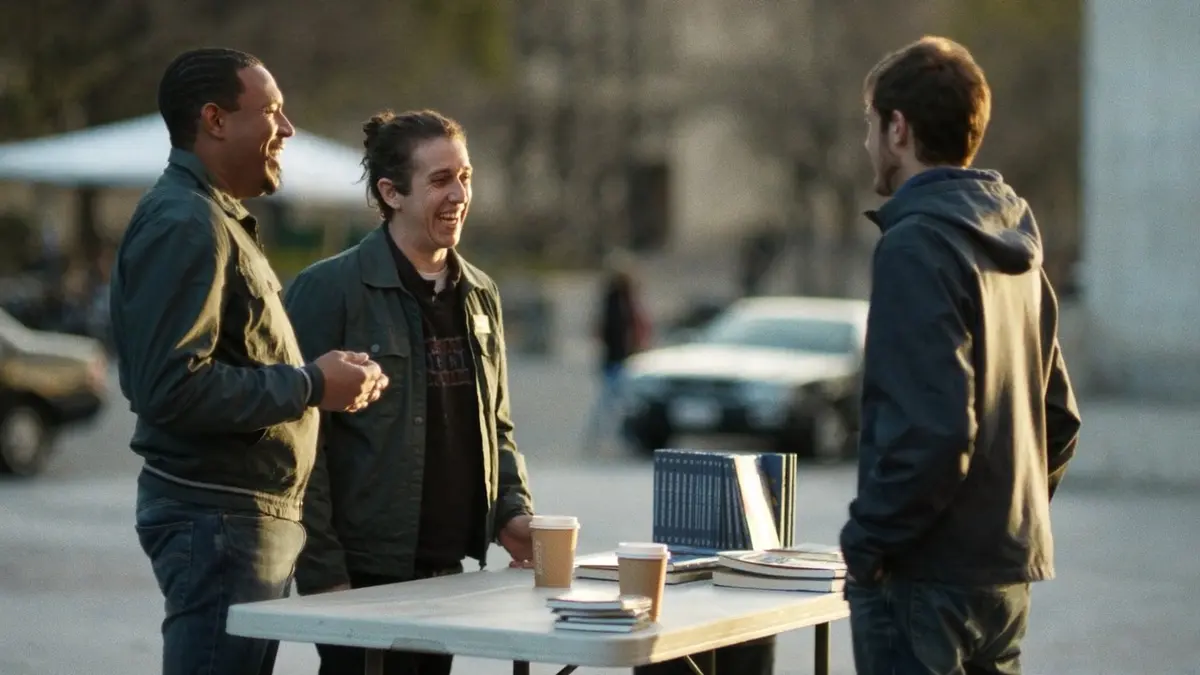
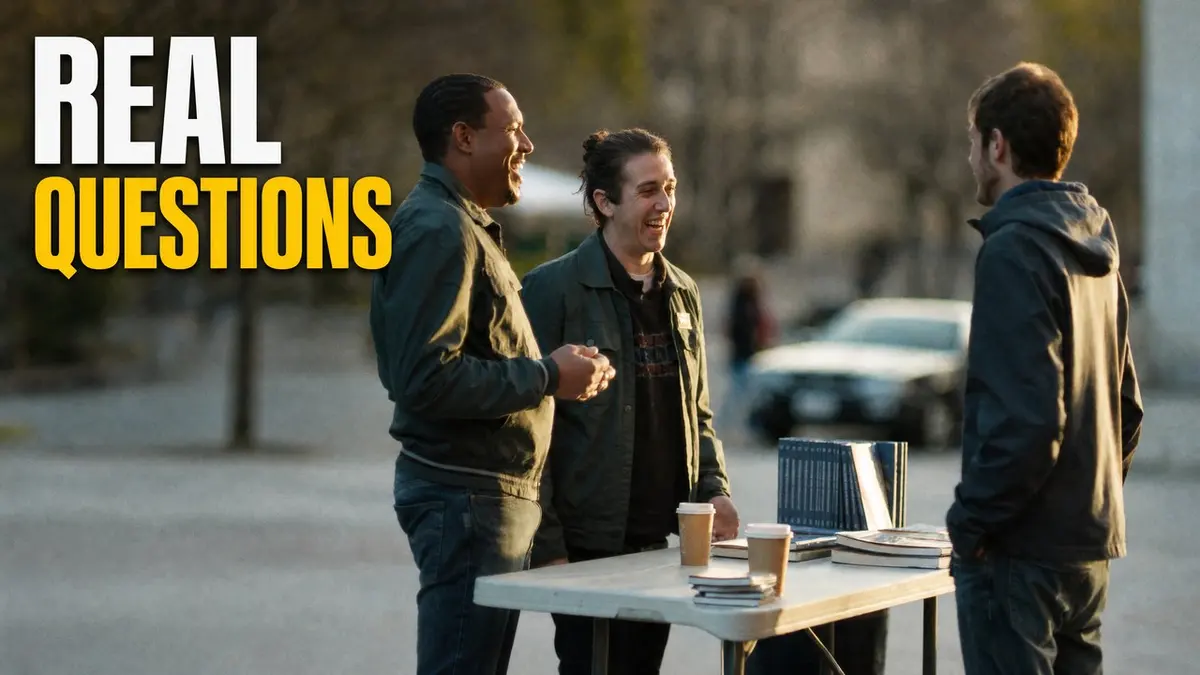
Step 1 · Soul Cinema (Higgsfield), 16:9
Candid documentary photograph, 16:9. Two volunteers in casual jackets stand at a plain folding table at a street outreach event in a city plaza, laughing with a young man who stopped to talk; on the table, stacks of paperback Bibles and paper cups of coffee. Late-afternoon golden-hour light, shallow depth of field, 50mm lens, natural colours, subtle grain. The left third of the frame is calm, out-of-focus plaza. No banners, no signs, no writing anywhere in the image.Step 2: use the words prompt from the walkthroughs (the template) with: words "REAL" / "QUESTIONS" · upper left · yellow word "QUESTIONS"
Pillar 5 · the thumbnail studio · more to try, 2 of 3
The world is writing a map or globe, for people far away
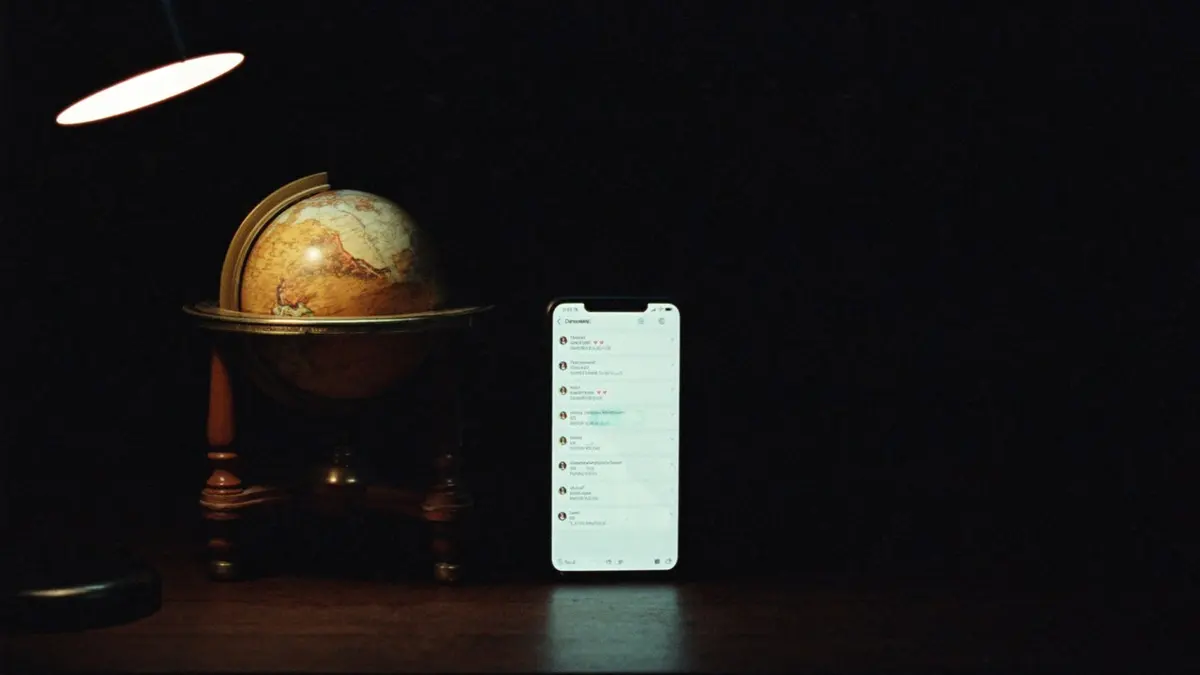
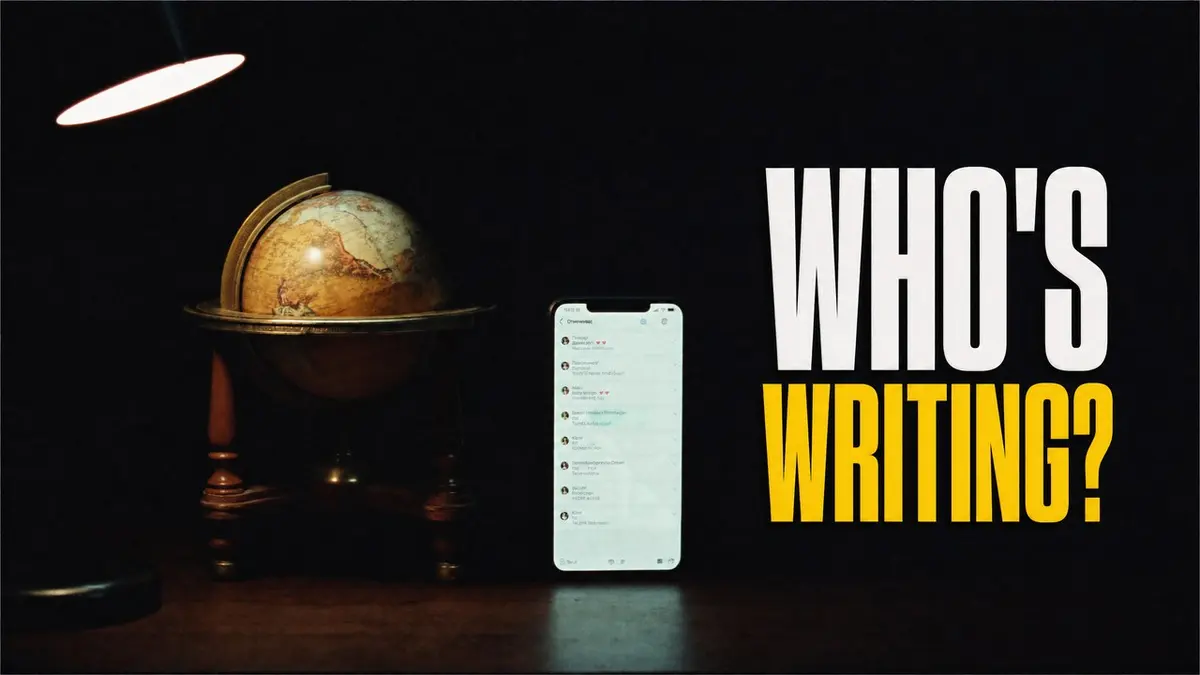
Step 1 · Soul Cinema (Higgsfield), 16:9
Photograph, 16:9. A vintage brass-and-wood world globe on a dark wooden desk at night beside a smartphone whose screen glows with a message thread (blurred, unreadable). A single warm desk lamp lights the scene from the left; the background is deep and dark. Shallow depth of field, gentle film grain, rich but natural colour. The right half of the frame is calm dark space. No readable text.Step 2: use the words prompt from the walkthroughs (the template) with: words "WHO'S" / "WRITING?" · on the right, over the dark space · yellow word "WRITING?"
The message at night a story thumbnail, for one person's question
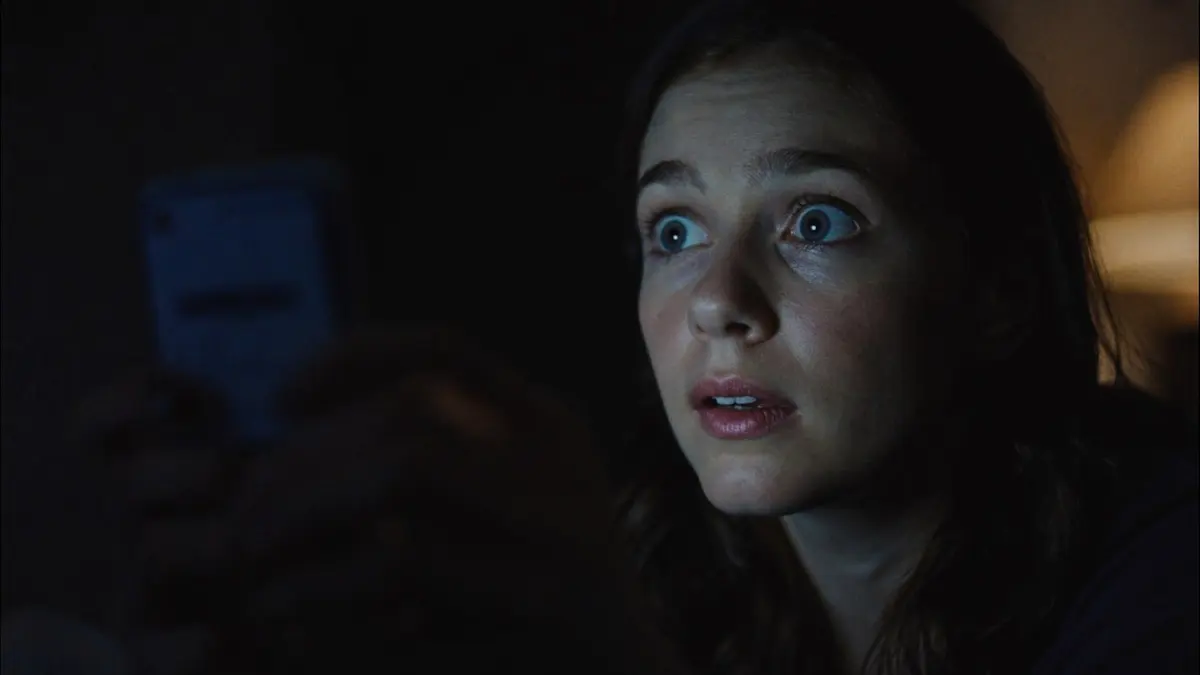
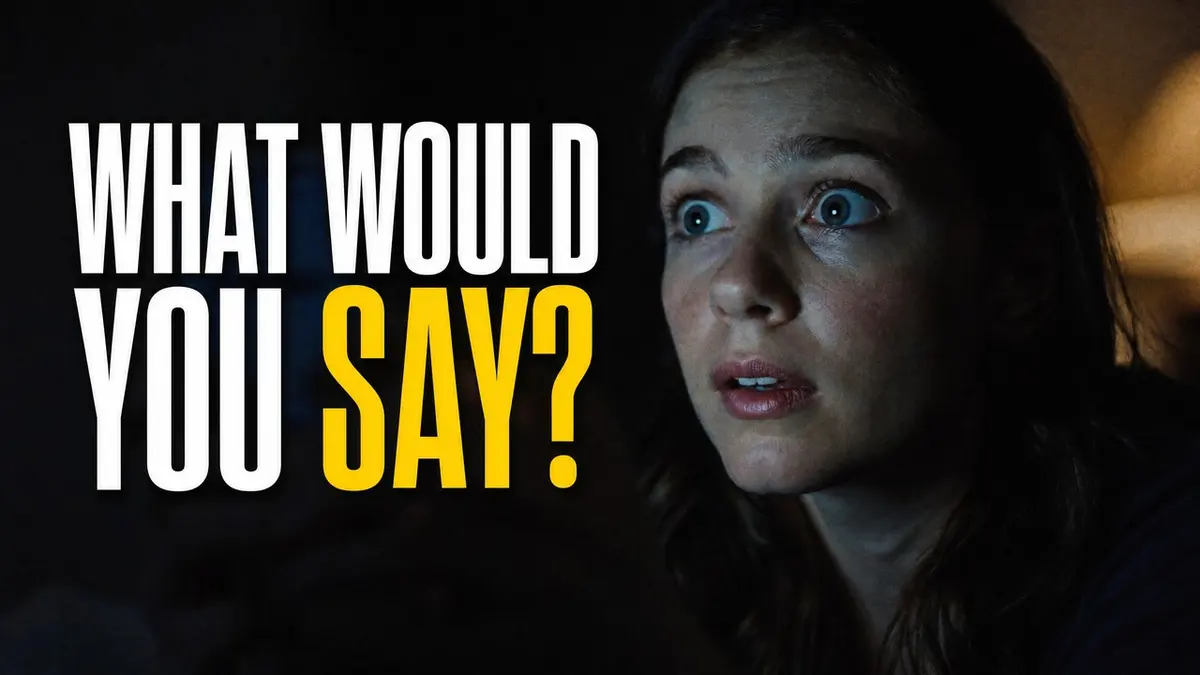
Step 1 · Soul Cinema (Higgsfield), 16:9
Cinematic close-up still, 16:9. A young woman in her twenties in a dark bedroom at night, her face lit softly by the cool glow of a phone she holds near her chin, reading a message with wide, uncertain, hopeful eyes. Her face and hands fill the right half of the frame, looking slightly off-camera toward the phone. A warm lamp glows far behind her, out of focus. Shot on an 85mm lens, shallow depth of field, natural skin texture, subtle film grain, deep navy shadows with warm amber accents. The left half of the frame is dark and empty. The phone screen is blurred and unreadable. No text.Step 2: use the words prompt from the walkthroughs (the template) with: words "WHAT WOULD" / "YOU SAY?" · left · yellow word "SAY?"
Pillar 5 · the thumbnail studio · more to try, 3 of 3
The reaction the sticker cut-out, with a portrait of your own
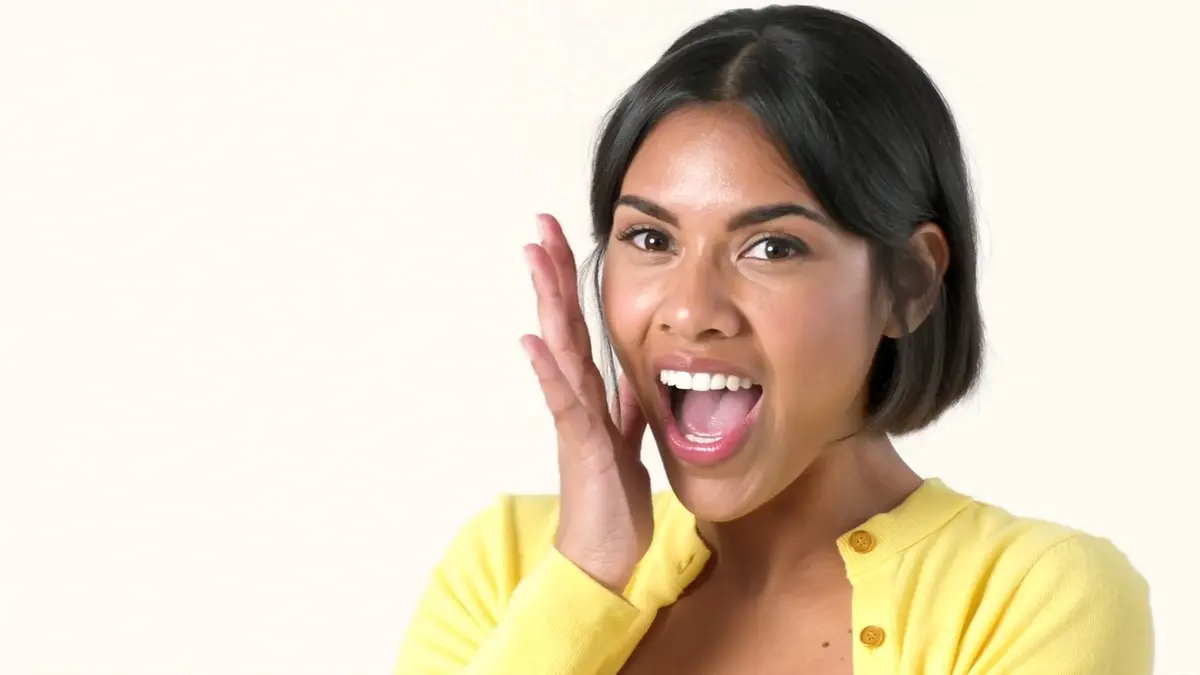
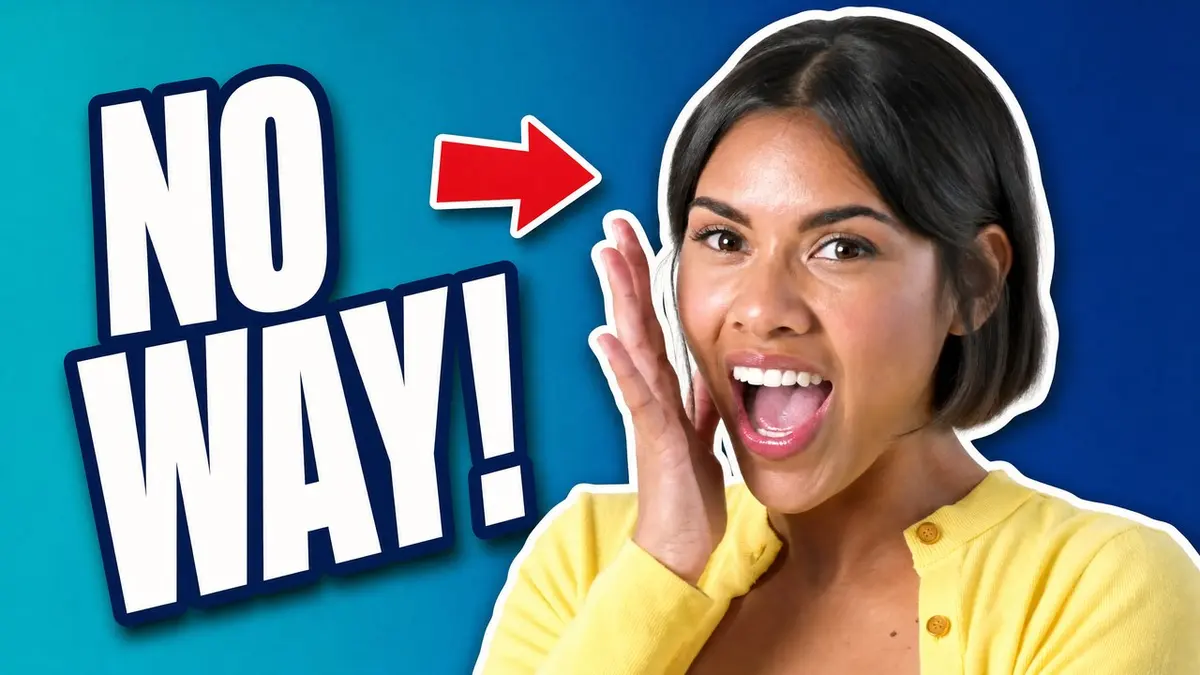
Step 1 · Soul Cinema (Higgsfield), 16:9
Bright editorial portrait photograph, 16:9. A young woman in her twenties with a short bob haircut and a yellow cardigan reacts with delighted surprise, mouth open, one hand raised beside her cheek, looking directly into the camera. Head and shoulders in the right half of the frame against a clean pale warm-white studio backdrop, bright even daylight lighting, 85mm lens, natural skin texture, crisp focus. The left half is empty backdrop. No text.Step 2: use the sticker prompt from walkthrough 2 with: words "NO WAY!" · left · teal to deep blue background · a red arrow at her
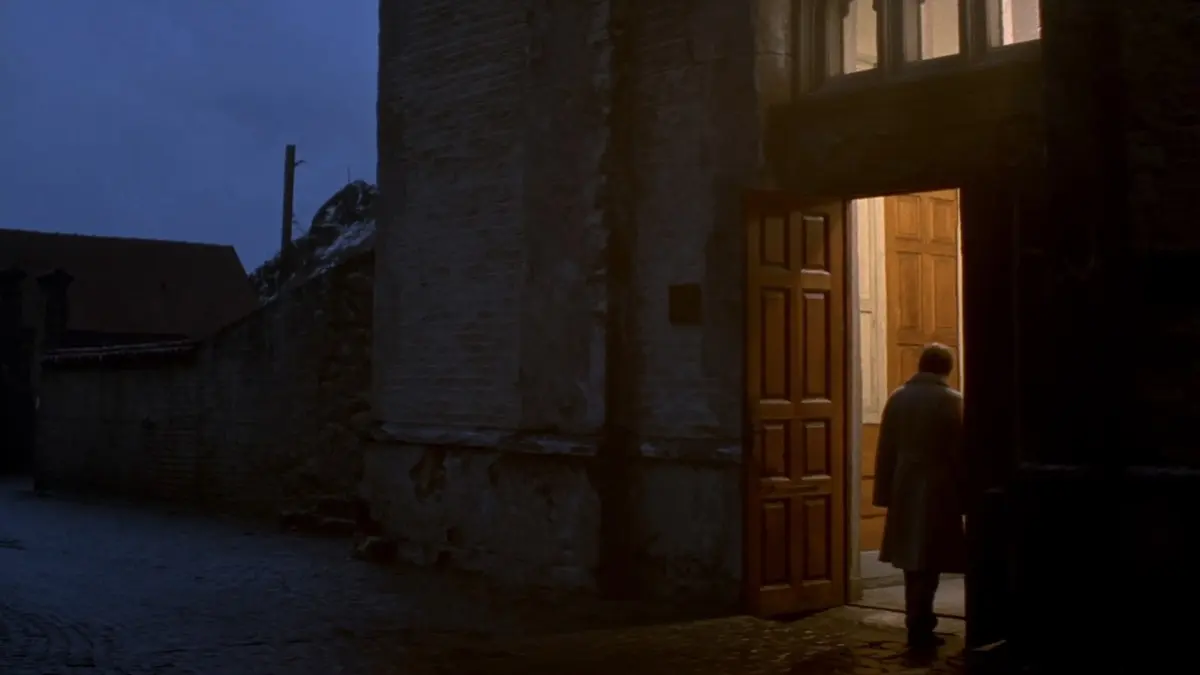
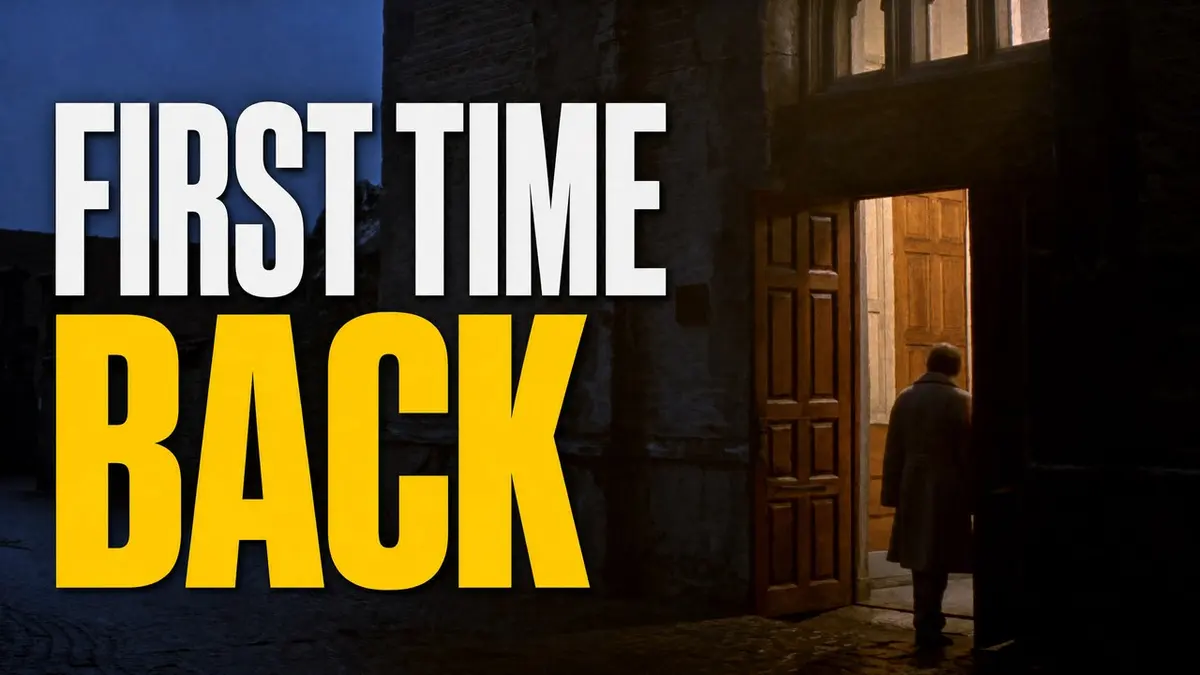
A story that starts at a door for the story of a first visit
Step 1 · Soul Cinema (Higgsfield), 16:9
Cinematic documentary still, 16:9. A person in a long coat, seen from behind, stands at the open wooden doors of a small stone church at dusk; warm light spills out of the doorway across wet cobblestones, cool blue evening sky above. Wide shot, 35mm lens, shallow haze, natural colours, subtle film grain. The person is small in the right third of the frame; the left two-thirds is calm stone wall and street. No readable text.Step 2: use the words prompt from the walkthroughs (the template) with: words "FIRST TIME" / "BACK" · left · yellow word "BACK"
Pillar 5 · the thumbnail studio
Background and words only
No photo at all: a color, the words, and an empty space for your own cut-out.

GPT Image 2 (ChatGPT)
A YouTube thumbnail background in 16:9 with no people and no photographs. A flat, saturated gradient from deep teal (#0B7285) on the left to royal blue (#1B3FD8) on the right, with a very subtle paper-grain texture. On the left half, add the words "ASK ME" and "ANYTHING" in two stacked lines, in a heavy condensed sans-serif, white fill with a thick dark-navy outline and a soft shadow, with "ANYTHING" in bright yellow (#FFD400). Add one flat red arrow (#E11D2E) pointing to the right, toward the empty space. Leave the right 45 percent of the image completely empty so a cut-out photo can be placed there later. Nothing else: no logos, no extra words, no people.- 1 Make the background with the prompt above.
- 2 Place your own cut-out photo on the empty right side in any editor, or attach the cut-out in ChatGPT and ask it to place it there.
- 3 That is how to get David's cut-out look when you already have a photo.
Pillar 5 · the thumbnail studio
Make it better in ChatGPT
Treat the first result as a draft. Ask for the next one in plain words.
- 1 Ask for three variations of the same thumbnail, then keep the clearest.
- 2 Make the words bigger, or use fewer of them.
- 3 Ask for a brighter background when the picture feels dull.
- 4 Upload your own photo as the reference, and say what to keep exactly as it is.
- 5 Check the spelling of every word on the picture.
Check it small
These four are shown at 120 pixels wide. Shrink every thumbnail this far before you choose. If you can still read the words and see the one idea, it works.
120 px
120 px
120 px
120 px
In Echo
The picture brings a person to your video. A person answers every seeker who writes in after it.
Worksheet
Your thumbnail
Draw or paste your thumbnail in the large frame, and again in the small one.
A face you can read
Three words or fewer
One idea
Contrast
A promise kept
Readable small
The three words, or fewer
Step 1: the picture I will make
Step 2: the words, and the one yellow word
The title that goes with it
Pillar 6 of 7
Call to action
You worked to earn the viewer. Do not stop before you ask for the next step.
David's advice
A subscriber is someone who wants more of what you make. Many people will not find the subscribe button on their own, so tell them to subscribe in the video. Add a subscribe button over the end of the video and link a next video or playlist. YouTube would rather send people to another channel, so give them a next step of your own.
Evidence
End screens run for 5 to 20 seconds at the end of a video, with up to four elements, and the video must be at least 25 seconds long [8]. End screens are where that ask and that next video live.
Do this week · From Echo
Decide the one thing you want a viewer to do at the end of your next video. Say it aloud, and put it on screen.
In Echo
EchoAnalyst scores one of its eleven skills on closing well, with a next step suited to where the seeker is, so the ask at the end of a conversation gets the same care as the one at the end of a video.
Pillar 7 of 7
Optimize your content
Go back. Your old videos can still be found.
David's advice
If you uploaded videos before you used these tactics, you are leaving views and subscribers on the table. Go back when you can, and edit the titles and descriptions, add keywords and subtitles, and upload a custom thumbnail. That can bring new life to old content. You never know which old video the algorithm will pull out of millions and suggest next.
Evidence
Start with the old videos that still draw views, and change one thing at a time so you can tell what worked. YouTube's test tool compares titles and thumbnails by watch time [6]. A comment under an old video is a real person writing today.
Do this week · From Echo
Pick three older videos that still draw views. For each, rework the title, the first lines of the description, and the thumbnail.
In Echo
With every channel in one shared inbox, an old video that suddenly draws comments does not go unanswered, because the new conversation lands where the team already looks.
From Echo
After the view
A video is a doorway. Someone who walks through it will often write back.
- A comment arrives
YouTube comments are a channel Echo answers on. Your responders read and answer the comments under your videos from inside Echo [E2]. They are comments, not private messages, and a comment does not expire, so there is no reply window running out. - It becomes a conversation
A comment asking a real question stops being something one responder notices by accident [E2]. It sits in the shared inbox with the seeker's other messages, and a responder claims it, so two people never answer the same seeker at once. - A person answers
If a seeker moves to WhatsApp, Messenger or text, the conversation lands in the same inbox. Other channels have clocks: a WhatsApp conversation closes after 24 hours without the seeker writing, and Messenger and Instagram after 7 days [E2].
Do this week · from Echo
Find the oldest unanswered comment under your most-watched video, and answer it as a person.
In Echo
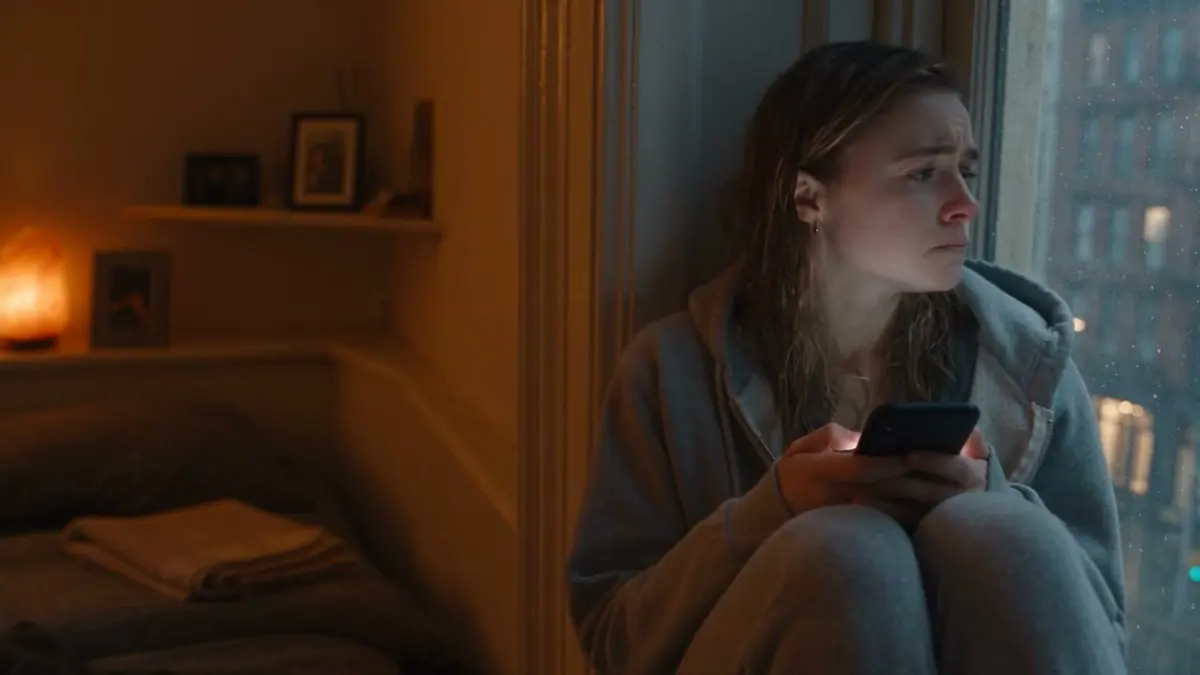
A person answers every seeker, on the channel they chose. Echo is where a video's comments become conversations someone follows through.
From Echo
What Echo reads afterwards
Views are a stand-in. What happened in the conversation is the thing itself.
A person answers every seeker. Afterwards, EchoAnalyst reads the closed conversation [E1]. It does not talk with seekers and it does not write a responder's replies.
A score on eleven skills, each 1 to 5, with a one-sentence coaching note: among them listening, clarity, depth, closing and follow-up, and grace-filled truth [E1, E3].
Seven kinds of seeker barrier, and whether the responder engaged each one. The Seeker Barriers report then shows, with your own numbers, how often seekers move toward God when their real barrier is addressed [E1, E3].
Fourteen reports, from one responder's review to the Ministry Health Report a board reads [E1]. EchoAnalyst is a paid add-on, and a ministry that has not signed up gets ten free analyses a month to try it [E1].
For a video ministry the useful part is plain: the barriers that show up in conversations are the ones your next video can speak to.
In Echo
Analysis before automation. A person answers every seeker, and the AI reads the conversation afterwards.
From Echo
Before you publish
- Plan Who it is for, the one question it answers, three places you will share it.
- Title The words a seeker would type are in it, near the front. It promises only what the video gives.
- Description The first two lines carry the point. One link to a place where a person will answer. Chapters if it is long: the first at 00:00, at least three [7]
- Hashtags and tags Up to three hashtags will show above the title [10]. Tags only for words people misspell [2]
- Captions Watched once on mute. Every name and verse corrected [3]
- Thumbnail Custom, 16:9, passes the six checks on the worksheet, tested if you can [4, 5]
- End screen One clear next step, said aloud and shown on screen [8]
- After you publish Someone is ready to answer comments in Echo, and the first comment gets a person within the day.
Evidence
Sources
- [E0] Apologetics Roadshow, Thumbnails and channel. youtube.com/@apologeticsroadshow · the thumbnails shown in this guide
- [1] YouTube Help, Upload YouTube videos. support.google.com/youtube/answer/57407 · titles up to 100 characters, descriptions up to 5,000
- [2] YouTube Help, Add tags to videos. support.google.com/youtube/answer/146402 · tags play a minimal role; tag stuffing is spam
- [3] YouTube Help, Use automatic captioning. support.google.com/youtube/answer/6373554 · automatic captions can be wrong; review in Studio
- [4] YouTube Help, Add custom thumbnails on YouTube. support.google.com/youtube/answer/72431 · verified account, 16:9, 640 px minimum width, JPG or PNG
- [5] YouTube Help, Test & compare thumbnails. support.google.com/youtube/answer/13861714 · up to three thumbnails, test starts at publish
- [6] YouTube Help, A/B test titles & thumbnails. support.google.com/youtube/answer/16391400 · up to three; highest watch time shown to all
- [7] YouTube Help, Video Chapters. support.google.com/youtube/answer/9884579 · first timestamp 00:00, at least three in order
- [8] YouTube Help, Add end screens to videos. support.google.com/youtube/answer/6388789 · 5 to 20 seconds, up to four elements, video at least 25 seconds
- [9] YouTube Help, How YouTube recommendations work. support.google.com/youtube/answer/16089387 · satisfaction surveys, likes, dislikes
- [10] YouTube Help, Hashtags article. support.google.com/youtube/answer/6390658 · three shown above the title; over 60 ignored
- [11] YouTube Help, Understand three-minute YouTube Shorts. support.google.com/youtube/answer/15424877 · square or vertical, up to three minutes
- [E1] EchoGlobal, EchoAnalyst. echoglobal.org/product/echoanalyst · eleven skills, barriers, fourteen reports, what it does not do
- [E2] EchoGlobal, Integrations and channels. echoglobal.org/product/integrations · comments channel, reply windows
- [E3] EchoGlobal, EchoAnalyst white paper. echoglobal.org/resources/echoanalyst-white-paper · criteria, seven barrier categories
Credits
About this guide
Based on a conversation between David Wood and Andre of Echo. One of Echo's free guides.
Find David
David's channel, Apologetics Roadshow
youtube.com/@apologeticsroadshow
Thumbnails
Thumbnails from Apologetics Roadshow.
Example pictures
Example pictures made with Higgsfield Soul Cinema and GPT Image 2.
About Echo
Echo is the conversation platform for Christian ministries. A person answers every seeker, on the app they chose, and the channels come into one shared inbox.