Every ministry trains its responders before it lets them near a real seeker. Training is where that material lives inside Echo: videos to watch and quizzes to answer, organized so a volunteer can be pointed at one link and told to work through it.
How it is organized
Four levels, each holding the next.
| Level | What it is |
|---|---|
| Classroom | The whole course. Most ministries have one, named for who it is for — new responders, phone team, safeguarding refresher. |
| Category | A section of that course. |
| Class | One sitting inside a section. |
| Lesson | One thing to do — a video to watch or a quiz to answer. |
Where to find it
In the admin menu, click Training. The screen is four columns side by side, and they fill in as you click from left to right.
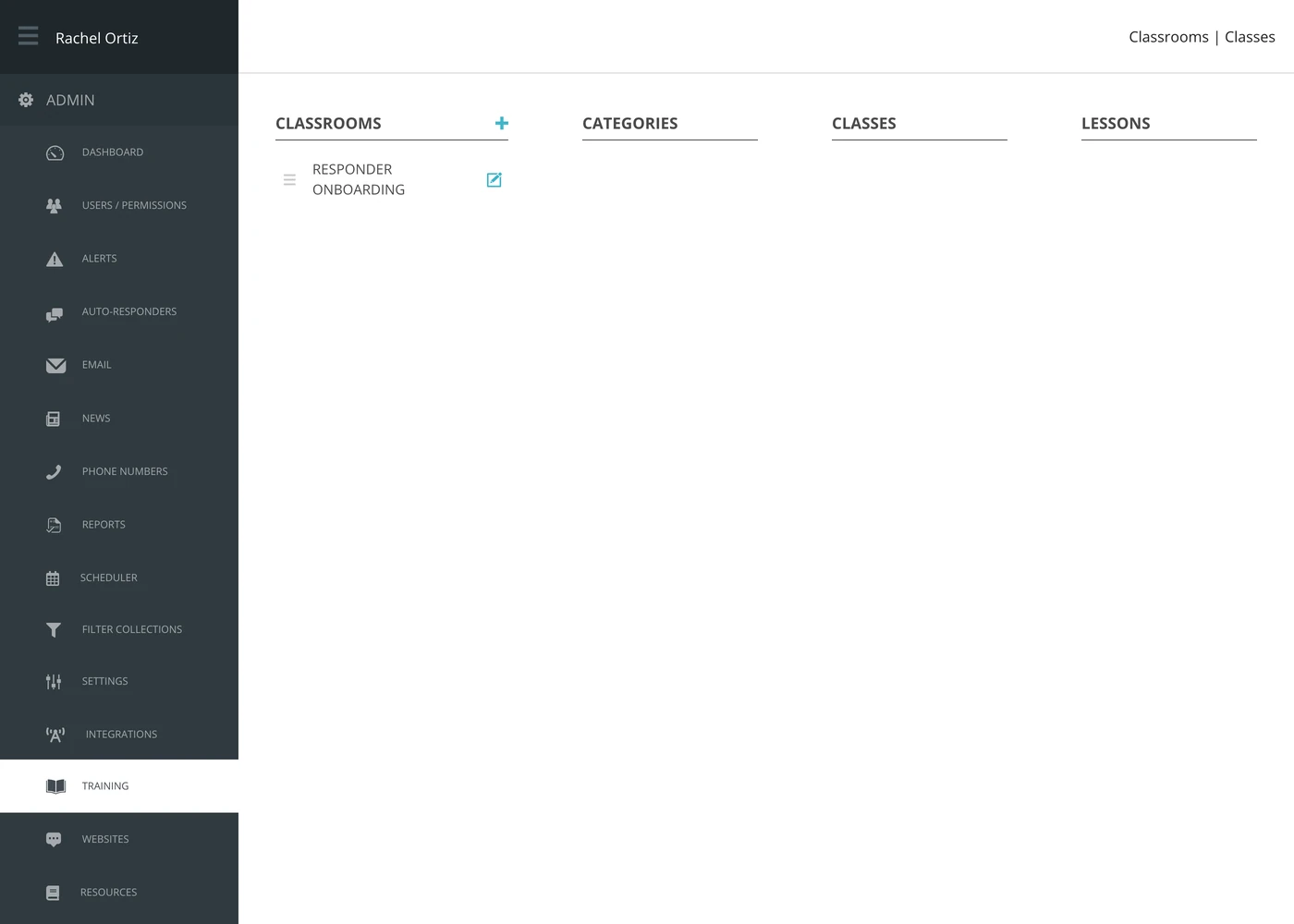
- Click a classroom. Its categories appear in the second column.
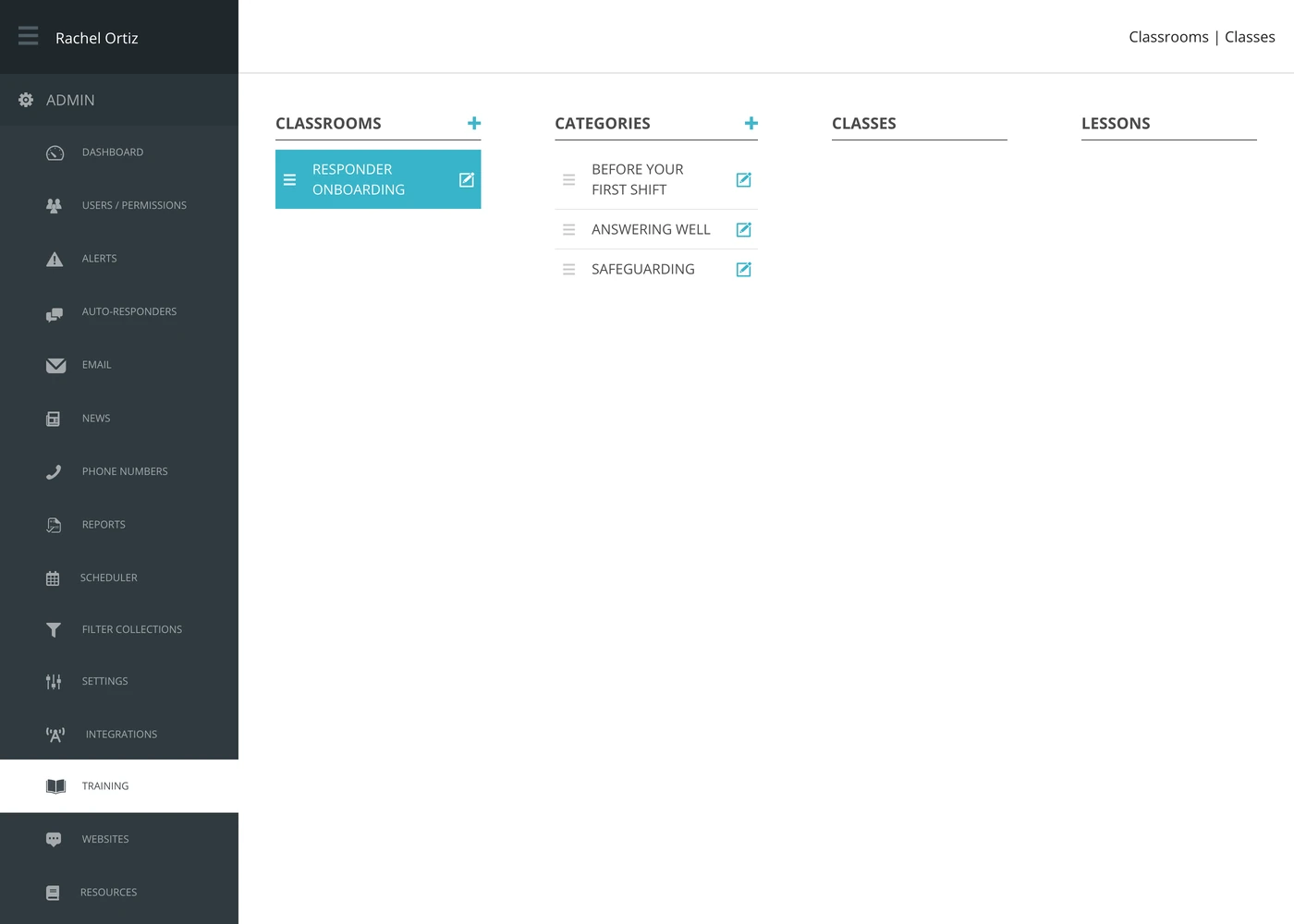
- Click a category. Its classes appear in the third column.
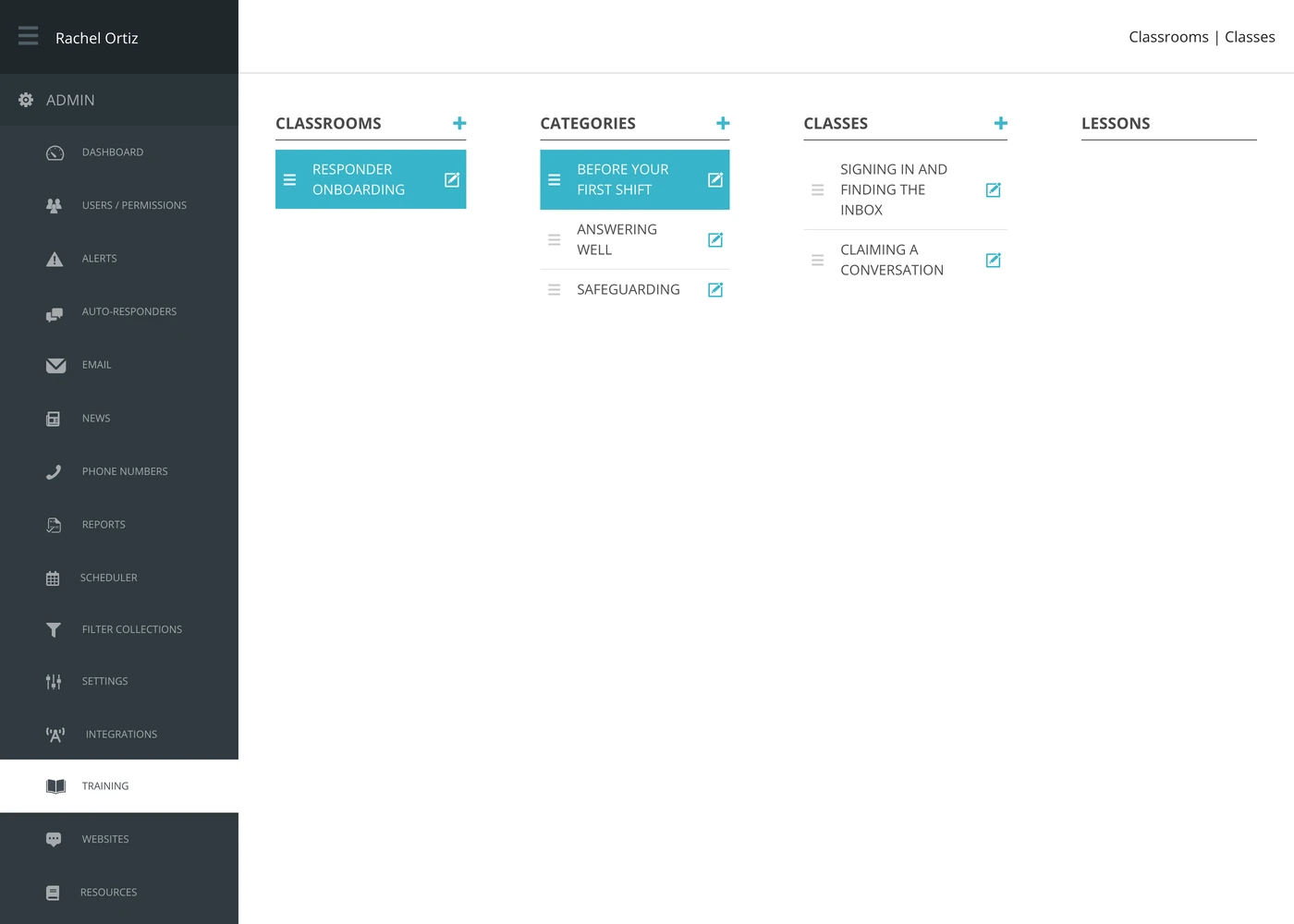
- Click a class. Its lessons appear in the fourth column.
Building a course
Each column has a + at the top that adds an item to that column, and each row has an edit icon. Build outward from the left: a classroom, then its categories, then classes, then lessons.
Rows can be dragged by the handle on the left to reorder them, and the order you set is the order a responder sees.
Videos and quizzes
A lesson is one of two things.
| Lesson type | What it is |
|---|---|
| Video | Something to watch. Echo processes an uploaded video and holds a poster image for it. You can also paste an Embed url instead of uploading. |
| Quiz | Questions to answer, in the order you set. |
A quiz is the only part that asks the responder to do something rather than watch, so it is where you find out whether the training landed.
Published and unpublished
Every level — classroom, category, class and lesson — has its own published setting. Nothing is visible to responders until it is published.
Build the whole course unpublished, look at it, then publish from the top down. Publishing a classroom whose lessons are half-written is the quickest way to have twenty volunteers tell you the training is broken.
Working in order
A class can be marked sequential, which means its lessons have to be done in order rather than picked from. Use it where the material builds; leave it off for reference material somebody should be able to jump into.
A class also carries an estimated length, which is what tells a volunteer whether this is a ten-minute job or an evening.
What the terms mean
| Term | What it means |
|---|---|
| Classroom | A whole course. |
| Category | A section within a course. |
| Class | One sitting within a section. |
| Lesson | One video or one quiz. |
| Published | Visible to responders. Set separately at every level. |
| Sequential | The lessons in this class must be done in order. |
Before you build it
Write down what a responder must be able to do before their first shift, and build only that. A short course everybody finishes is worth more than a thorough one nobody starts — and the quiz results will tell you which one you have.