When a call comes in, Echo has to ring somebody. A rep phone is one of the numbers it can ring — a desk phone in the office, a shared handset, a phone that is not tied to a single responder's account.
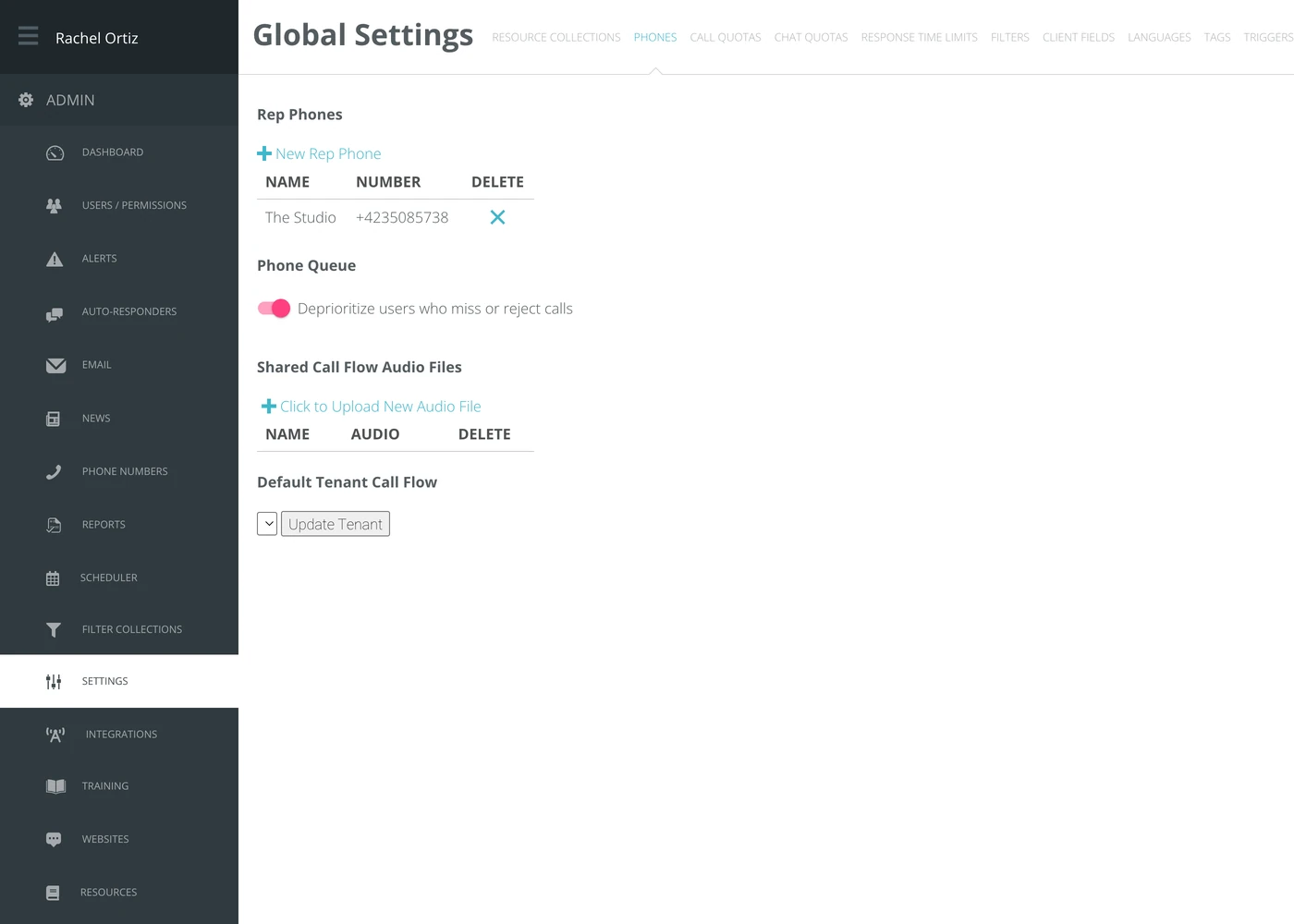
This screen holds three related things: the rep phones, how Echo treats responders who miss calls, and which call flow answers by default.
Where to find it
In the admin menu, click Settings, then Phones.
Adding a rep phone
- Click New Rep Phone.
- Type a Name a volunteer will recognize — where the phone is, not whose it is.
- Type the Number.
- Click Submit.
To remove one, click the x in the Delete column.
The phone queue
Deprioritize users who miss or reject calls changes the order Echo rings people in. With it on, a responder who has just missed or rejected a call moves down the queue, so the next call goes to somebody more likely to answer.
This moves a responder down the order. It does not take them out of it — they will still be rung once everyone else has been tried.
Shared call flow audio files
Recordings uploaded here can be used by any of your call flows — a welcome greeting, an after-hours message, a hold prompt. Click Click to Upload New Audio File to add one.
The default call flow
Default Tenant Call Flow is the call flow a newly added number starts with. Choose it from the list and click Update Tenant. It does not change the numbers you already have; give those a flow with IVR on the Phone Numbers screen.
What the terms mean
| Term | What it means |
|---|---|
| Rep phone | A number Echo can ring to reach a responder, not tied to one person's account. |
| Phone queue | The order Echo tries responders in when a call arrives. |
| Call flow | What a caller hears and what happens to their call — the greeting, the menu, who it rings. |
| Default tenant call flow | The call flow a newly added number starts with. |