
Every seeker Echo talks to has a record. Alongside their name and the channels they have reached you on, that record can carry a handful of extra questions your ministry cares about — a preferred name, an age range, how they heard about you.
Those extra questions are client fields. This screen is where you choose which ones are switched on.
Where to find it
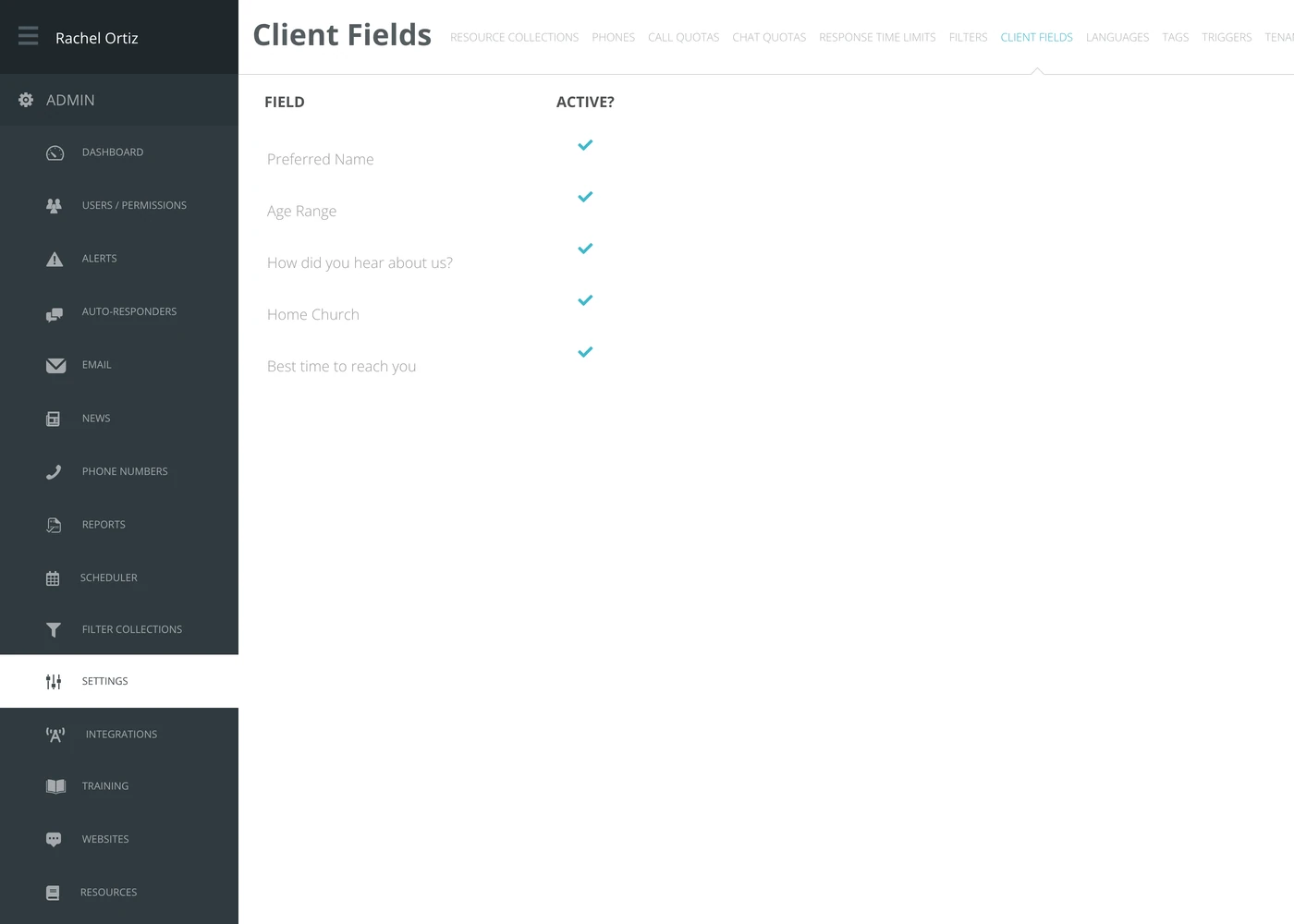
In the admin menu, click Settings, then Client Fields along the top.
Switching a field on or off
The checkmark in the Active? column is the switch. Click it to turn the field on; click it again to turn it off. There is no save button — the change is recorded as you click.
Turning a field off takes it off every seeker's record, not only new ones. It does not erase what responders have already recorded in it.
Where a client field shows up
- On the seeker's record, as an extra box a responder can fill in while the conversation is open.
- In advanced search, as something you can search the CRM by.
The field's own shape decides what the responder sees: a text box, a list to choose from, or a date picker.
What the terms mean
| Term | What it means |
|---|---|
| Client | Echo's record of one seeker — the person, rather than any single conversation with them. |
| Client field | An extra question recorded on that person's record. |
| Active | Switched on for your ministry. The list also contains fields Echo offers to everyone; being on the list does not mean you are using it. |
| Text / Select / Date | The three shapes a field can take — a free text box, a fixed list of choices, or a calendar. |
Choosing what to turn on
Every field you switch on is another thing a volunteer has to fill in mid-conversation. Turn on the ones you will actually report on or follow up with, and leave the rest off.