
The dashboard is the screen the admin menu opens to. It answers one question — what has happened in the last 24 hours — and it is deliberately narrow. For anything longer than a day, or broken down by responder, source or outcome, use the reports.
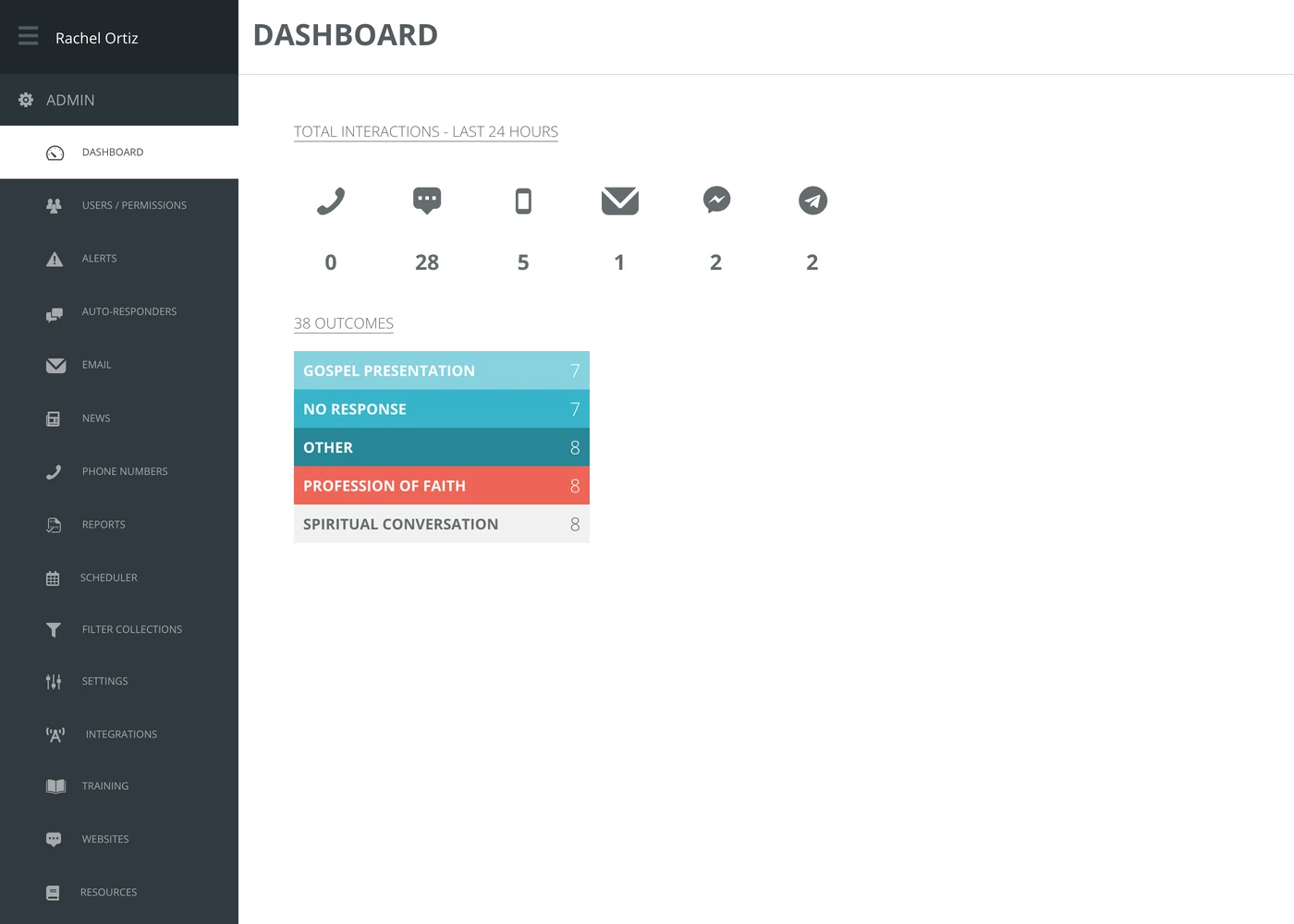
Total interactions
One count per channel, for the last 24 hours only. Left to right: phone calls, web chat, text, email, Facebook Messenger and Telegram.

The window is fixed. There is no date picker on this screen — it is always the last 24 hours, counted from the moment you loaded the page.
Only those six channels have a tile. If your ministry answers on Instagram, WhatsApp, LINE, YouTube or TikTok, those conversations are counted in reporting but they do not appear here.
Outcomes
Underneath, one bar per outcome your responders recorded in the same 24 hours, with the total in the heading.
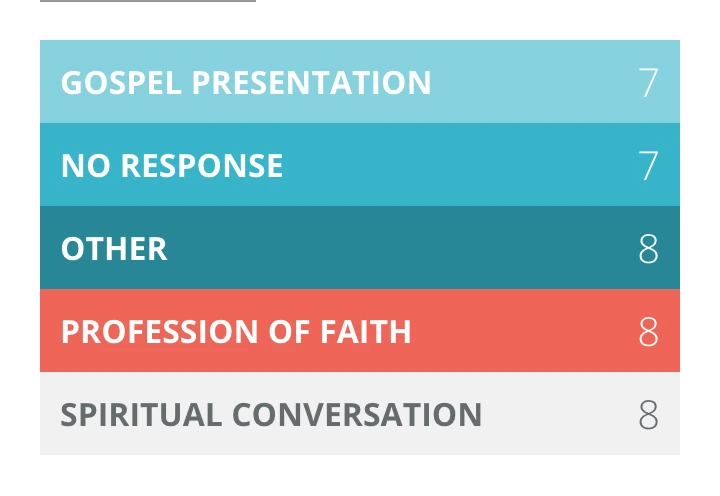
An outcome is recorded when a responder closes a conversation. A conversation still open, or closed without an outcome chosen, does not appear here — which is why this total is usually smaller than the interaction counts above it.
What the measurements mean
| Measurement | What it counts |
|---|---|
| Total interactions | Conversations that started on each channel in the last 24 hours. Phone is counted separately, as calls rather than conversations. |
| Outcome | What a responder recorded as the result when they closed a conversation — your ministry's own list, set up under outcomes. |
| Last 24 hours | A rolling window ending now, not yesterday's calendar day. |
If the numbers look wrong
- Everything is zero but conversations are arriving. Nothing has come in on those six channels in the last 24 hours. Check the conversations report over a wider window before assuming the tiles are broken.
- The outcome total is much lower than the interaction counts. That is normal. Only closed conversations with an outcome chosen are counted.
- You cannot see this screen at all. Viewing the dashboard is a permission. If the menu item is missing, ask an admin to add it to your permission set.