US carriers no longer let an unidentified organization send text messages. Before your numbers can send, your ministry has to be registered — a brand saying who you are, and a campaign saying what you send.
Echo puts that on one screen. Its own summary: this is where you set up the brand and campaigns your US phone numbers are associated with, to comply with rulings from the Federal Communications Commission. If you are not using US numbers you do not need to submit a brand.
Where to find it
In the admin menu, click Phone Numbers, then Branding along the top.
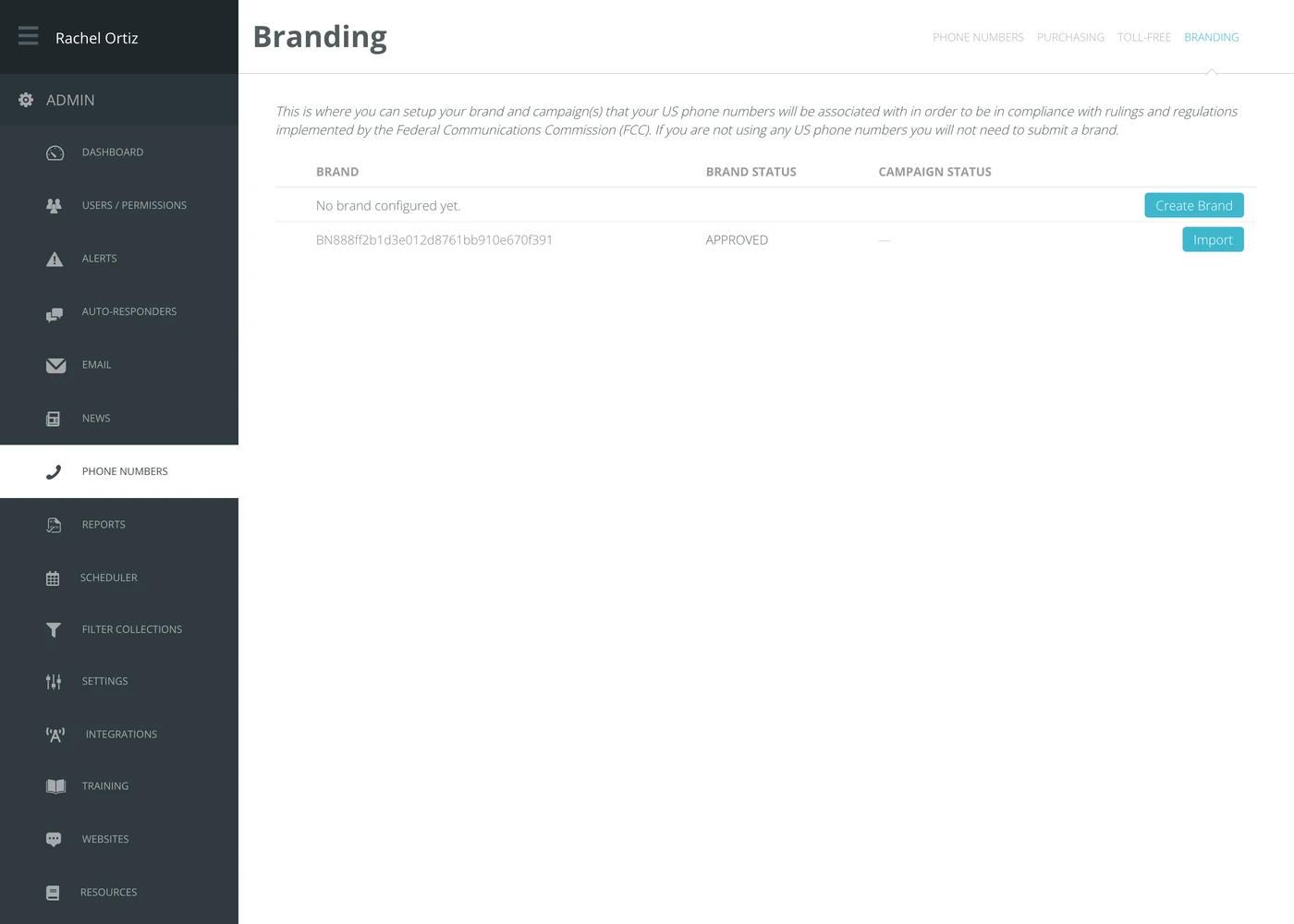
Registering a brand
- Click Create Brand.
- Fill in your organization's legal details — the name, address and identifiers as they appear on your registration documents, not your trading name.
- Submit it.
The Brand Status column then tracks it. Approval is done by the carriers, not by Echo, and takes days.
Get the legal details exactly right the first time. A mismatch between what you file and what is on record is the usual cause of a rejection, and refiling starts the clock again.
Importing a brand you already have
If your organization has already registered a brand elsewhere, it appears in the lower list with its own identifier and status. Click Import to attach it to this Echo account rather than filing a second one.
The campaign
A brand says who you are. A campaign says what kind of messages you send — and until both are approved, your numbers stay blocked. Register the brand first; the campaign follows it. Once the brand is approved, Campaign Status reads Awaiting Setup and the row offers Setup Campaign.
What the terms mean
| Term | What it means |
|---|---|
| A2P | Application-to-person. Texts sent by a system rather than typed on a handset. |
| Brand | Your organization, registered with the carriers. |
| Campaign | The kind of messaging you do, registered against that brand. |
| Brand status | Where your filing has got to. Approved is the only one that lets you send. |
| Toll-free verification | A different filing, for toll-free numbers, which do not need a brand at all. |
If texts are not arriving
Unregistered messages are rejected by the carrier, not by Echo, so nothing in Echo looks broken. If the BRANDING REQUIRED notice is showing on your Phone Numbers screen, that is the reason and this screen is the fix.