Crisis & Safeguarding is the accountability report, the one a board asks for. It covers two duties of care: conversations involving crisis or danger, and conversations involving a minor.
It is also the report with a queue attached. It does not just count; it names the conversations a leader should read.
The question the report itself names is: How much crisis weight did we carry, and was it handled well?
Running it
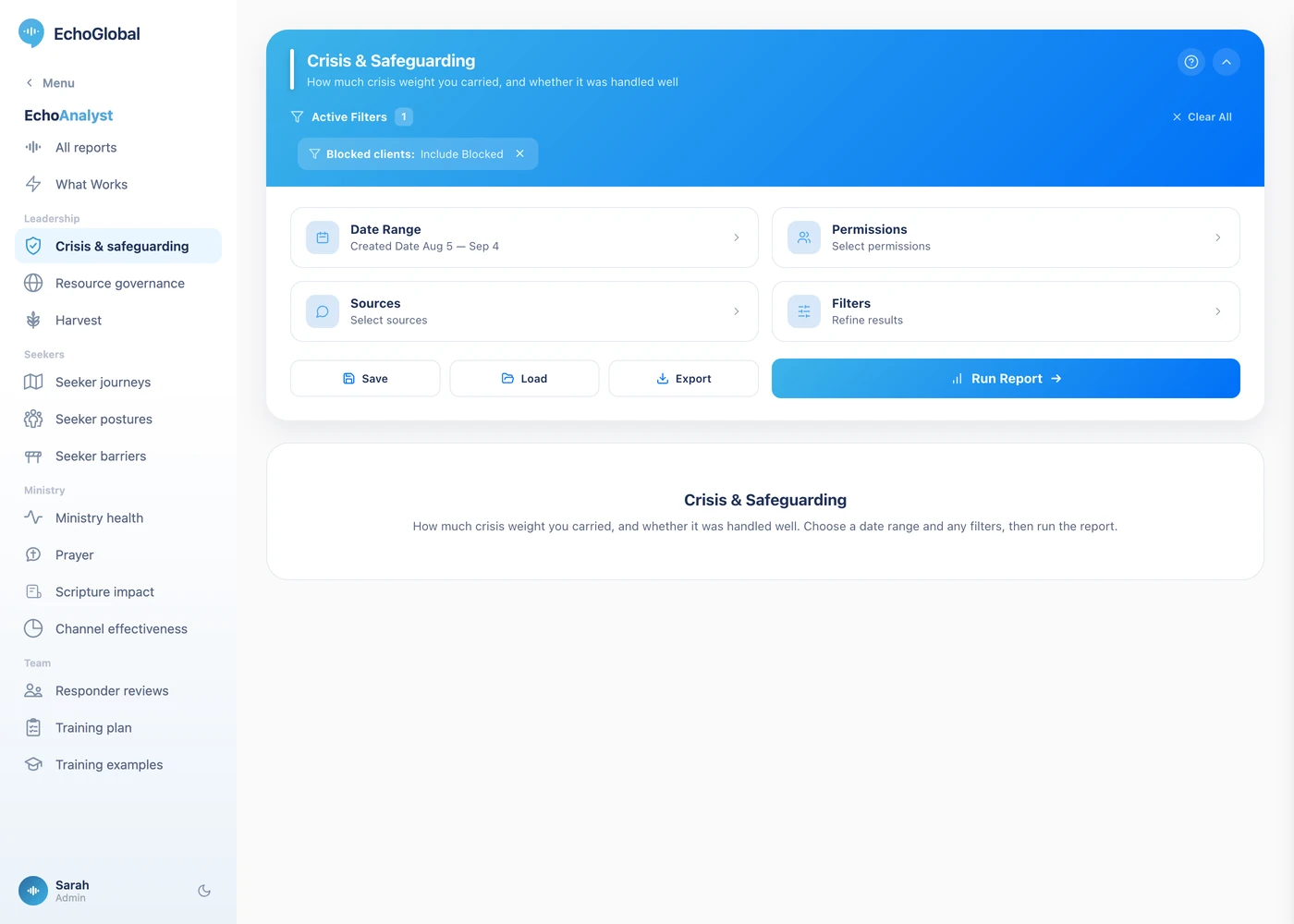
Open EchoAnalyst in the left-hand menu, then Safeguarding. Set a date range, choose your sources if you want to narrow it, and select Run Report. Nothing is computed until you do.
The controls are the same on every Echo Analyst report. They are described once in Getting started with Echo Analyst.
What the page shows
The top gives the weight your team carried in the period and how it was handled, measured by two pastoral scores: crisis sensitivity, and handling of conversations involving minors.
Every alert, and the conversations behind it lets you open the conversations behind each alert category. Conversations for leadership to review is the queue, conversations where a pastoral score came in at 2.0 or below, in one list, lowest first, with each row marked Crisis or Minor. Care Ministry score distributions shows the spread rather than the average, which is what tells you whether a low average is everyone or a few.
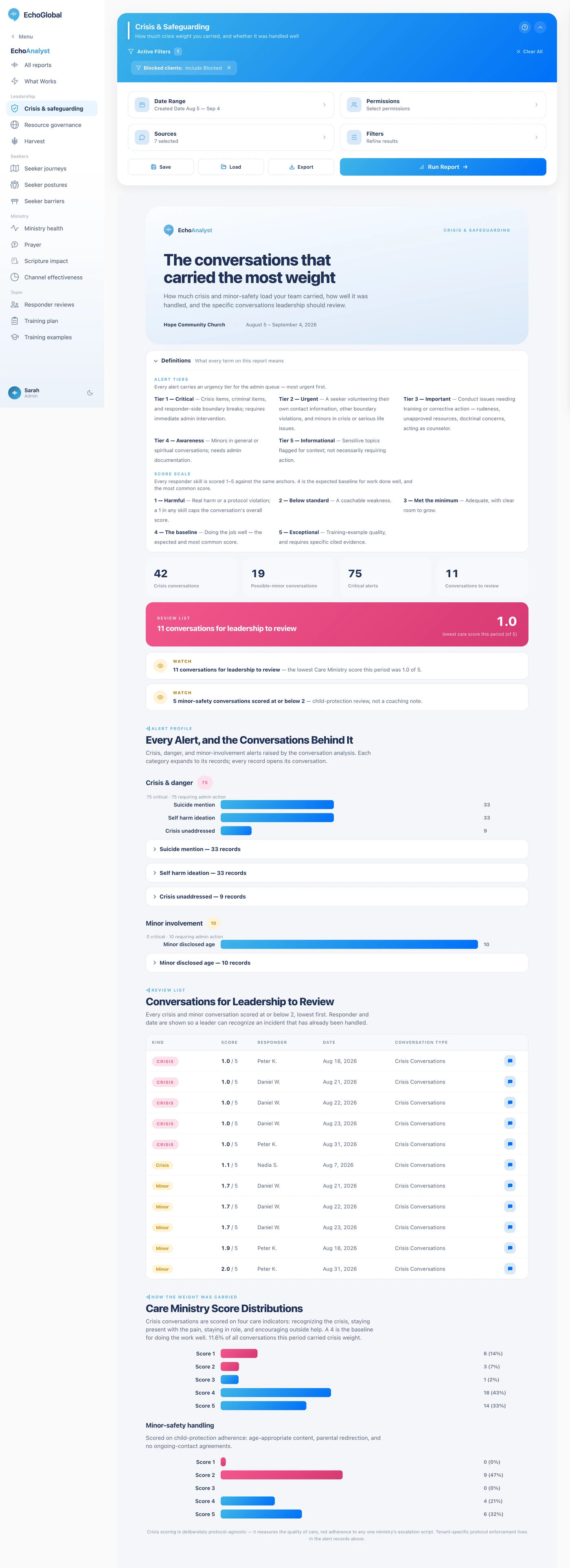
The report itself opens with a Definitions section carrying the same terms in short form, so you can check a word without leaving the page.
What the measurements mean
This report measures two duties of care and one queue. The scores are the ordinary 1–5 skill scores, applied to the two pastoral skills that matter here.
The measures
| Measure | What it is | How it is worked out |
|---|---|---|
| Crisis sensitivity | How well crisis was handled. | A 1–5 skill score. Blank when there was no crisis, not zero. |
| Minors handling | How well conversations involving a minor were handled. | A 1–5 skill score. Blank when no minor was involved. |
| Needs review | The leadership queue. | Conversations scoring 2.0 or lower on either skill. |
| Alerts | What the analysis flagged. | Grouped by category and by priority tier. See below. |
| Score distribution | The spread rather than the average. | How many conversations at each of the five points. This is what tells you whether a low average is everyone or a few. |
Alert priority tiers
Alerts carry a tier from 1 to 5:
| Tier | Meaning |
|---|---|
| 1 | Critical |
| 2 | Urgent |
| 3 | Important |
| 4 | Awareness |
| 5 | Informational |
An alert counts as actionable when it is tier 3 or better and the analysis marked it as needing an administrator. Everything else is there to be aware of.
The 1–5 scale
Every skill score in Echo Analyst uses the same five points, and the wording matters. This is not a school grade where 5 is the target.
| Score | What it means | How often |
|---|---|---|
| 1 | Harmful, real harm or a protocol violation, such as missing a crisis or a doctrinal error | Rare |
| 2 | Below standard, a coachable weakness | Uncommon |
| 3 | Met the minimum, acceptable, with clear room to grow | Less common |
| 4 | Doing a good job, the expected baseline for someone doing the work well | Most common |
| 5 | Exceptional, training-example quality, and it requires specific cited evidence | Rare |
4 is the target, not 5. A team averaging 4 is doing the job well. A 5 has to be earned with evidence, so a page full of 5s would be a scoring fault rather than a triumph.
Two rules change how the number comes out. A 1 in any single skill caps the whole conversation's overall score, real harm is not averaged away by nine good things. And three skills return nothing at all when they do not apply: crisis sensitivity when there was no crisis, grace-filled truth when no hard truth was needed, and minors handling when no minor was involved. A blank is "not applicable", never zero.
An unscored conversation counts as fine. The review queue counts only conversations that were actually scored on that skill and came in at or below 2.0. An unmeasured conversation is not evidence of a problem, so it is not queued.
A conversation in the queue is not an accusation. The threshold is generous on purpose: here a false positive costs a read, and a false negative costs something that cannot be undone. Each alert subcategory is capped at 25 rows, most urgent first.
This is a review tool, not an alerting system. It tells you what happened in a period you choose. It does not notify anyone while a crisis conversation is happening.
Reading it honestly
A conversation reaching the review queue is not an accusation. The threshold is deliberately generous, because on this subject a false positive costs a read and a false negative costs something that cannot be undone.
Each alert subcategory is capped at 25 rows, most urgent first. A subcategory with more than that is showing you the top of a list, not all of it, and the page says so.
This report is a review tool, not an alerting system. It tells you what happened in a period you choose. It does not notify anyone at the moment a crisis conversation is happening.
If it comes back empty
Two things cause this, and neither means the report is broken.
The Sources filter remembers what you last chose. A selection made months ago can exclude everything you have added since. Open Sources, check what is ticked, and run it again.
Only closed conversations are analyzed. A conversation that is still open, or that was abandoned before your team replied, carries no analysis and appears in no number here. A busy period can still be a thin one for this report if most of it never closed.